
Verification Checklist
- ✓After cancelling, check your bank or virtual card's raw transaction history for the next billing date, rather than trusting the web "cancelled" message alone
- ✓If the subscription runs through an app, separately check the Apple ID subscriptions page in iOS Settings or Google Play's "Payments & subscriptions" to confirm that independent record also shows cancelled
- ✓When contacting support, ask them to name the exact billing period a disputed charge corresponds to, instead of accepting a vague "wait one more cycle"
- ✓If a virtual card is funding the subscription, confirm the card's limit was actually zeroed out or frozen at the same moment you cancelled
1. What a zombie charge actually is
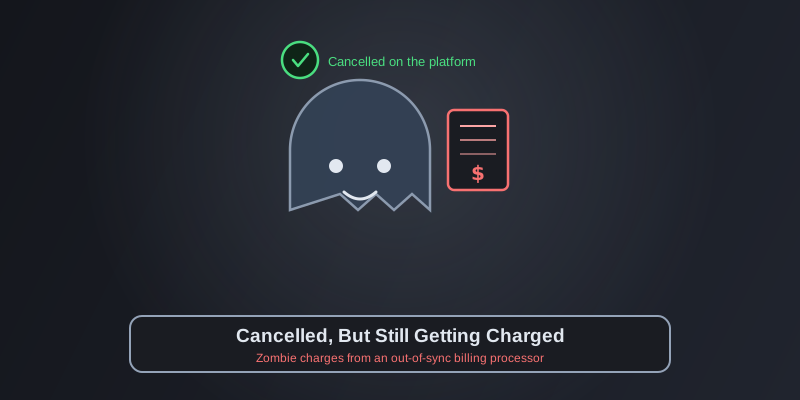
A zombie charge is when you've completed whatever the platform considers a valid cancellation — the account page shows "cancelled" or "won't renew," you may have even gotten a confirmation email — but the next billing cycle still pulls the same amount, sometimes for several months running, until you notice and fight it a second time. This is different from simply forgetting to cancel, where the fault is on you. With a zombie charge, you genuinely did cancel and the interface confirmed it, but that "cancelled" status never actually propagated to the system that triggers the charge. The two sides fall out of sync: you believe the subscription is dead, but somewhere out of view, it's still alive.
2. Where the gap lives: the front end isn't the billing engine
For a lot of AI products, the account settings page is just a display layer. The actual recurring charge is triggered by a separate billing engine behind it — often a third-party platform like Stripe, Chargebee, or Recurly, or an app-store subscription channel like the Apple App Store or Google Play. When you click cancel, the front end updates instantly and you get a "subscription cancelled" email, so it feels done. But if that cancellation request didn't correctly sync with the system that actually holds the billing authority — a failed API call with no retry, a dropped webhook, or the request simply hitting the wrong endpoint are all common causes — the billing engine has no idea anything changed, and it fires the charge exactly as scheduled when the next cycle rolls around. If the payment channel is PayPal, the picture is a bit different — see AI Subscription Canceled, PayPal Still Shows It Active, where the independent authorization record is something you can check and end yourself, without waiting on the platform.
3. The scenario most likely to bite you: subscribing through more than one channel
If an AI tool lets you subscribe both through its website and inside its mobile app, zombie charges get noticeably more likely. A typical setup: you originally subscribed on the web with a credit card, then later logged into the same account from the phone app — and in that process, some apps create a separate, app-store-billed subscription record without you noticing, running alongside the original one. When you eventually cancel, clicking cancel in your web account settings only kills the web subscription. The independent one inside the App Store or Google Play keeps billing your app-store account monthly, untouched. That's why some people who "cancelled" still see a charge from "APPLE.COM/BILL" instead of the AI platform's name on their statement — the app store is the one actually collecting the money, and its subscription record is completely separate from whatever the platform's own backend shows.
4. How to actually verify a cancellation stuck
Don't trust the word "cancelled" on a settings page alone — the reliable way is to check the record on the billing side itself. If the subscription runs through a web credit-card checkout, pull up your bank or virtual card's transaction history and look for whether the same amount hits again on the next billing date. If it runs through the App Store or Google Play, open the phone's own subscription manager (under your Apple ID in iOS Settings, or "Payments & subscriptions" in Google Play) and confirm it explicitly shows "cancelled" rather than "active until [date], will renew." These records are completely independent of the platform's own web settings page — checking the web status alone tells you nothing about whether the app-store subscription actually stopped. Getting in the habit of checking the charge record one full billing cycle after cancelling is currently the only way to confirm with certainty that it actually took.
5. Is "it takes effect next cycle" a legitimate excuse
Contact support about a zombie charge and you'll often hear "cancellation only takes effect next billing cycle, so this charge is expected." That's sometimes true — an annual plan that you can keep using until the paid period ends, where the last charge was actually pre-billed for that remaining time — but it's also frequently used to paper over a real sync failure. The test is whether the charge is a genuinely new renewal that happened after you confirmed cancellation, versus the last charge that was always going to happen before cancellation kicked in. If support can't clearly tie the charge to a specific billing period, or if you're told to "wait one more cycle" two cycles in a row, that's not a normal processing delay — it's a cancellation request that never actually went through, and it's worth insisting they manually terminate the subscription in the billing system directly and provide written confirmation, rather than waiting for the system to "catch up" on its own.
6. How a virtual card gives cancellation a hard backstop
Since whether a cancellation actually sticks depends on internal syncing you can't see or control, the more reliable fallback isn't trusting the platform to "eventually sort it out" — it's cutting off the ability to charge from the payment side directly. With a US virtual card provider like rdvcc.com, issuing a separate card per subscription means that when you cancel, you can zero out the limit or freeze/close that card at the same moment. Even if the cancellation request genuinely got lost and the billing engine still tries to charge as scheduled, the request gets rejected at the card level — there's no scenario where "cancellation confirmed" and "still charged" happen together. That's a lot more proactive than chasing a refund afterward: whether a zombie charge gets reversed depends on the platform's willingness to own up to it, but whether a charge can even go through in the first place stays entirely in the cardholder's hands.
7. Funding with stablecoins: leave nothing on the card to charge
If the virtual card is funded with stablecoins on an as-needed basis, the zombie-charge risk shrinks further — you load exactly what USDT or USDC you put in, and once you cancel, you simply stop topping it up. The balance runs dry quickly, and even if the billing system genuinely keeps trying to charge, it fails on insufficient funds without you needing to remember to freeze anything manually. When stablecoins are scattered across chains and need consolidating into whichever one the card actually needs, a non-custodial service like AllSwap lets you swap first and fund after, with no account required and failed swaps refunded automatically. Pairing small, as-needed top-ups with "stop funding the moment you cancel" turns the card itself into the last, hardest line of defense on cancellation.
8. Already got zombie-charged? How to get it back
If you catch an extra charge after cancelling, first save a screenshot of the web confirmation page or cancellation email, plus the actual charge record from your bank or virtual card — lining up the two timelines is direct proof the cancellation happened before the charge did. Next, contact support and explicitly ask them to confirm which billing period the charge corresponds to, and note that you have proof of cancellation; most legitimate platforms will issue a full refund once the evidence is clear. If the platform stalls or denies it, and the charge went through a credit card or virtual card, filing a chargeback is an option — your bank can step in using the cancellation proof you provide. But a chargeback takes time and can affect account access in the meantime, so stopping the charge before it happens — via a card limit or a drained balance — beats disputing it after the fact every time.
9. The bottom line: stop trusting the platform, and start controlling cancellation yourself
Zombie charges exist because cancellation depends on multiple internal systems staying in sync — a process you can't see and can't control, where the only thing you can actually verify is the outcome: did it charge or not. Instead of re-checking the word "cancelled" on a settings page, put the power to stop a charge on the payment side instead: a separate virtual card per subscription, a limit cut or freeze the moment you cancel, and stablecoin top-ups that never leave spare balance behind. That way, whether or not the platform's internal cancellation actually took, the charge itself simply can't happen. This is the fifth piece in the series — more overlooked details in AI subscription payments are coming.