
Verification Checklist
- ✓Does the pause confirmation page/email state the resume date, and whether resuming will trigger a catch-up charge for the paused period
- ✓Can you find the maximum pause duration in account settings, and does exceeding it default to auto-resuming billing or auto-cancelling
- ✓If the account had a promo/locked-in discount before pausing, does the pause terms say whether that price survives resume
- ✓Can you still view or export chat history/generated content while paused, or is access fully blocked
- ✓Does the billing history show the paused period as "$0 charged" or does it disappear from the record entirely
1. Pause isn't an industry standard — every platform implements it differently
"Pause subscription" sounds like it should be a standardized feature across the industry, but in practice it's closer to a private convention each platform invented on its own, with nothing like PCI DSS payment compliance forcing a common shape on it. Some platforms built pause as a genuine independent state in their subscription state machine, where the renewal clock, the charge, and access to paid features all freeze together. Others implement "pause" as little more than a flag in the billing system that skips a single charge cycle, while every other part of the account — the renewal date, the data-retention policy — keeps advancing exactly as it would during a normal paid period. And some pause options only exist on specific payment rails — for subscriptions billed through Google Play, for instance, pause duration can range from one week to three months depending on the app developer's own settings, and the pause only takes effect at the end of the current billing period; the same subscription bought directly on the web or through iOS may have no pause option at all, leaving cancel as the only lever. In other words, the word "pause" can mean the exact same thing on the button label while triggering completely different system behavior — you can't carry over your intuition from cancel or downgrade to understand what it actually does.
2. The renewal clock: does pause "freeze the date" or just "skip one charge"
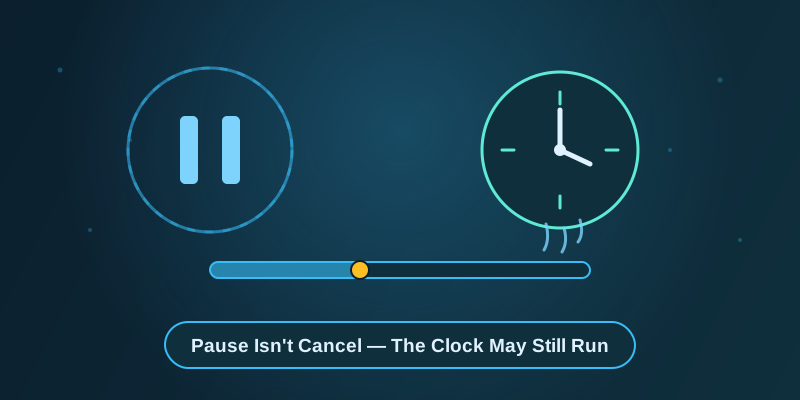
This is the single most overlooked and most misunderstood part of pause mechanics. Users intuitively assume that "pause for three months" means the account is fully frozen for three months, and the renewal date should shift forward by exactly that much when resumed — but many platforms don't implement it that way. Instead, pause simply tells the billing system to skip the charge for the next few cycles, without resetting or shifting the underlying anchor date that determines when the next renewal "should" happen; that date is merely marked as "no charge this cycle." Under this design, if a user pauses for two months and then manually resumes, the system may immediately bill according to the original, un-paused renewal date, bundling two months of would-be charges into a single unexpected catch-up charge. Other platforms do the opposite and genuinely shift the renewal date forward by the paused duration, so resuming triggers a normal single-cycle charge with no catch-up at all. These two designs are nearly impossible to distinguish from button copy alone — only a pause confirmation page or help doc that explicitly states "will resuming bill you for the paused period" lets you tell in advance, and most platforms don't put that sentence anywhere prominent.
3. Data retention while paused often follows a completely different rulebook than downgrading to free
Many users picture "pause" as a safer middle state between cancel and downgrade, assuming data retention during a pause is at least as good as what a free-tier downgrade preserves. The reality is often the opposite: because many platforms' account systems classify pause as something closer to "temporarily taking the account offline" rather than "downgrading benefits," some platforms flag cloud storage, conversation history, and generation records as entirely inaccessible until paid access resumes — which is stricter than a plain downgrade to free, where users can usually still view historical records read-only. Other platforms do the reverse, leaving data fully intact and accessible during pause, with only new usage frozen. The core reason for the difference is that pause is, in most platforms' account architecture, not a first-class state that's been carefully designed with clear user expectations the way cancel and downgrade have been over years of iteration — it's often a feature bolted on later, and the engineering team may not have designed a dedicated data-retention policy for the paused state at all, instead reusing whatever rule already existed for some adjacent state. Which rule got reused is something you can usually only confirm by testing it yourself or reading the help docs carefully.
4. Pause isn't indefinite — once the maximum duration is hit, the system may not ask you again
Pause carries the psychological implication that you can resume whenever you feel like it, but nearly every platform's pause feature has a backend maximum duration that rarely appears anywhere near the button itself. On Google Play's subscription system, pause length itself ranges from one week to three months depending on the individual app developer's configuration. Netflix's pause mechanism lets you pause for one month at a time, with a prompt to extend by another month appearing about a week before the pause is set to end, up to a total cap of three months — once that cap is reached without user action, what the system does by default varies by context: some platforms auto-resume normal billing, others convert a long-unresumed paused account directly into a cancellation. What the system defaults to once the limit hits is the single most important thing to confirm before pausing, because it means you get no further chance to click "confirm" or "agree" — whether billing auto-resumes or the account gets cancelled is triggered unilaterally by a backend rule. The only way to protect yourself is to ask exactly what that limit and its default behavior are at the moment you pause, or to set your own calendar reminder.
5. Locked-in pricing can be permanently forfeited by pausing — a trap that cancel or downgrade often avoids
If an account has a promotional price or tiered discount tied to continuous subscription — an early-adopter price, a limited-time renewal code, a win-back discount — many platforms' promo terms include language like "this discount only applies while the subscription remains continuously active; a lapse ends it." That clause exists mainly to stop users from cancelling and immediately reusing the same promo on a fresh account, but if pause is classified at the billing-system level as a "lapse" rather than "maintained but frozen," resuming paid access may rebill at the current public price with the earlier discount gone for good — usually without any dedicated email warning that "your discount was voided by pausing." This runs against most people's intuition, which tends to assume cancelling obviously kills any discount while pausing feels safer. In reality, if a platform is willing, cancellation can still be met with a human-reviewed win-back offer that restores the discount for a returning customer, while pause runs through a fully automated system path with no room for a manual retention offer to intervene — how that fine-print clause is worded, and how the system technically defines a "lapse," is what decides whether this particular pause costs you the discount for good.
6. Three things to confirm before pausing: the clock rule, the data rule, the duration rule
Building on the mechanics above, it's worth spending two minutes confirming three concrete things before clicking pause, rather than just clicking it. First, does the pause confirmation page or the follow-up email state clearly whether the renewal date shifts forward or stays fixed, and whether resuming triggers a catch-up charge for the paused period. Second, is historical data during pause fully visible, read-only visible, or completely inaccessible — if you might need to look up an old chat or export a file during the pause, confirm this in advance. Third, can you find the maximum pause duration in account settings or the help center, and what does the system default to once that limit is exceeded — resuming billing, or converting to cancellation. These three questions map respectively to "will I get overcharged or catch-up billed," "will my data still be usable," and "will I get silently rebilled or cancelled without noticing." Confirm all three in advance and pause genuinely saves the hassle of cancelling and resubscribing later; skip them and you may end up with surprises just as bad as an outright cancellation a few months down the line — worse, arguably, because you thought the account was safely frozen.
7. When pause rules are opaque, cancelling and resubscribing later is sometimes the more controllable path
When a platform's help documentation is vague about pause mechanics, or support agents can't clearly explain the renewal clock and data-retention rules, it's often safer to skip the unpredictable pause button and go with a straightforward cancel-then-resubscribe path instead. Cancellation is the most studied and most regulated action in the subscription ecosystem — most jurisdictions have some transparency requirements around cancellation flows, and the boundaries of what happens after cancelling (continued access through the paid period, no further charges after that) are usually far clearer than pause. Binding each AI subscription to its own independent virtual card also keeps the cost of "cancel and resubscribe later" close to zero — a service like Rdvcc virtual cards (rdvcc.com), which supports opening a dedicated card per subscription, makes resubscribing with a fresh card nearly frictionless, without worrying about an old payment token getting flagged as anomalous after a long charge-free stretch; before picking a virtual card provider, it's also worth checking a directory like chdh.me to compare a few providers' reliability and settlement speed reviews first.
8. Bottom line: pause looks gentle, but it's the least standardized action in the system
Pause features were added with good intentions — giving users who don't need a service right now, but don't want to fully sever it and redo the entire onboarding flow later, a lighter-weight option. But precisely because it's a relatively new addition, there's no industry-wide implementation standard for it, and it hasn't been through the years of user feedback and regulatory scrutiny that cancellation flows have. On the renewal clock, data retention, maximum duration, and whether locked-in pricing survives, different platforms — and even different payment channels on the same platform — can give completely different answers. Getting clear answers to the specific questions in this article from your account settings or help docs before clicking pause is far more reliable than trying to argue for compensation afterward based on memory or a verbal promise from support.