
Verification Checklist
- ✓Don't just trust the "canceled" message on the AI platform's own page -- log into your PayPal account, go to the automatic payments / preapproved payments management section, and check whether the entry for this AI service is still listed as active
- ✓Compare the merchant name shown on that PayPal automatic-payment entry against the name that actually appears on your charge statements -- some platforms bill under a different legal or processing name than their product name, which is easy to miss
- ✓If the PayPal entry is still active, cancel or unlink it directly inside PayPal rather than waiting for the AI platform to "sync" itself or clicking its own cancel button again
- ✓After manually ending the agreement, watch at least one full billing cycle to confirm no further charge from that merchant shows up in your PayPal activity; if one does, ask the merchant for a refund first and keep the PayPal cancellation timestamp as evidence
- ✓If you find a charge you're confident you never authorized and the agreement had already been terminated, report it as unauthorized activity through PayPal's Resolution Center ("Report a Problem") rather than starting with the AI platform's support team
1. The symptom: the platform says canceled, PayPal says the agreement is still alive
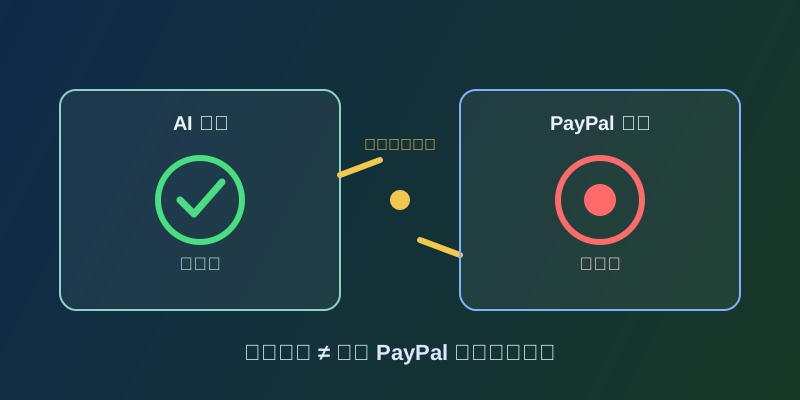
Plenty of users click "Cancel Subscription" on an AI service and then, days or weeks later, get another charge notification from PayPal. Going back to the AI platform, the account status clearly says "Canceled" or "Subscription ended." But logging into PayPal and checking the automatic payment record for that merchant shows the authorization was never actually terminated -- the status still reads "Active." This isn't a delay or a PayPal glitch. It's two independent systems that were never actually synced: the AI platform's own subscription status, and the separate authorization record inside PayPal that actually controls whether a charge gets approved.
2. The mechanism: a Billing Agreement is an authorization PayPal maintains on its own
Many AI services accept PayPal through a mechanism PayPal calls a Billing Agreement -- also referred to as a preapproved payment or a reference transaction. It lets a merchant, after getting a one-time authorization from you, keep charging on an agreed schedule without you having to log into PayPal and approve every single transaction. Once that authorization exists, it lives entirely inside PayPal's own account system, completely separate from whatever the merchant's own database says about "is this user subscribed." The merchant's database decides whether to keep providing service and whether to fire off a charge request; PayPal's Billing Agreement decides whether that particular request gets approved. In principle both should update together when you cancel, but that sync depends on the merchant actually calling the API PayPal provides for terminating the agreement.
3. Why they drift apart: the platform's "cancel" button may only touch its own database
The gap usually comes from how many AI platforms built their own cancellation flow: clicking "Cancel Subscription" does update the platform's own database to "canceled," and the UI does show the corresponding message -- but that step is often purely internal, and doesn't necessarily mean the platform also called PayPal's API to terminate the Billing Agreement. If that call gets skipped because of a code oversight, poor error handling, or simply because the platform never wired "cancel subscription" together with "terminate PayPal authorization" as a single action, the PayPal-side record just keeps sitting there active -- because as far as PayPal is concerned, nobody ever told it to end. This is a similar-looking gap to the "zombie charge" problem covered in an earlier article on this site (You Cancelled, So Why Is the AI App Still Billing You), but the mechanism differs: that piece is mostly about a platform's front end drifting out of sync with a third-party billing system like Stripe inside the same billing stack. PayPal's case is different -- it's an authorization record maintained independently by the payment channel itself, fully separate from the merchant, and that distinction is the point of this article.
4. How this differs from a card scenario: with PayPal, you can end it yourself
Pay directly by credit card instead, and the card network or issuing bank typically generates a similar merchant "token" for future frictionless charges -- if the merchant's cancellation is incomplete, that token can also keep getting billed, and a user usually has no direct way to fix it beyond contacting the issuing bank for a chargeback or replacing the card number. PayPal's Billing Agreement is different in one clear way: the authorization record itself is fully visible in your own PayPal account settings, something you can view and act on directly, without depending on a bank's back office. In other words, even if the AI platform's cancellation flow has a bug, you don't have to wait for the platform to fix it or sit in a support queue -- you can log into PayPal yourself and terminate the agreement directly. That's the practical advantage PayPal's payment channel has over a card token: when something goes wrong, the control is actually in your hands.
5. Where to actually check: PayPal's automatic payment management page
To confirm whether a Billing Agreement is still active, log into your PayPal account and go to the automatic payments management page (labeled "Automatic Payments" in some versions of the interface, or "Subscriptions and saved businesses" in others) -- it lists every merchant currently authorized to charge your PayPal account, along with each one's status and linked payment method. Note that the exact menu name and navigation path for this page can vary by region and account type, and can also differ between the website and the mobile app; this article isn't going to invent one fixed click-path, since the exact route depends on what your PayPal account actually shows when you log in. If you can't find it, PayPal's own help center can be searched for "automatic payment" or "billing agreement" to pull up the current official guidance. Once you find the entry for the merchant in question, if it shows as active, you can cancel or unlink it directly from that page without waiting on the AI platform to respond.
6. If the agreement is still active or you've already been charged again
The first step, if you find the Billing Agreement still active in PayPal, is to terminate it directly inside your PayPal account -- that way, even if the AI platform tries to fire off another charge request later, PayPal will decline it because the authorization no longer exists. After terminating it, watch at least one full billing cycle to confirm no further charge from that merchant shows up in your PayPal activity. If you're still charged after manually ending the agreement, or you find a past charge you're confident you never authorized and the agreement had already been ended, report it as unauthorized transaction or account activity through PayPal's Resolution Center -- this is PayPal's official channel for this kind of dispute. It's also worth contacting the AI platform directly to request a refund and explain the situation, handling both sides at once rather than waiting on either one alone. The bottom line: if a platform says "canceled" but PayPal keeps charging, don't assume the platform will fix it on its own -- the authorization record inside your PayPal account is something you can check and end yourself.