
Verification Checklist
- ✓Open your billing/invoice history and compare this charge's merchant descriptor (billing name) against last month's — is it exactly the same string?
- ✓Did the decline email's wording shift from a specific reason to something vague like "we're unable to process this payment"?
- ✓Without clicking the email's links, log into the official site directly and check whether the sending domain matches previous renewal emails
- ✓In your subscription's payment-method settings, does the card show as "expired/needs verification" rather than just a plain decline?
- ✓Try manually re-adding the exact same card as a new payment method — if it succeeds, the old token likely failed to migrate, not the card itself
1. Same card, same address — so why did the renewal fail?
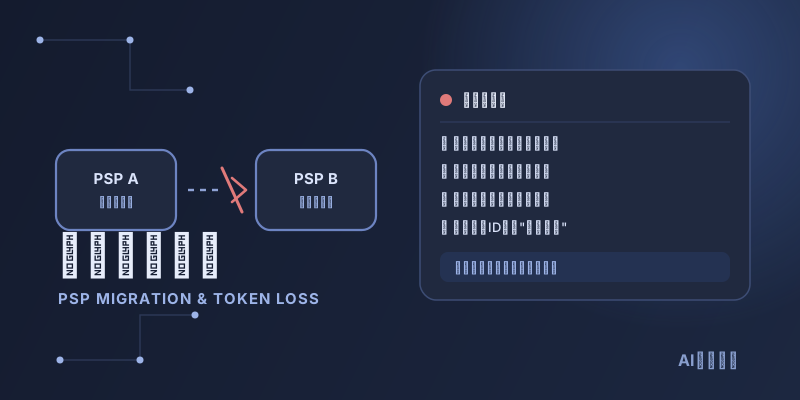
When a renewal suddenly fails, the instinct is to check the card: balance, expiration, whether the bank flagged it. But there's a class of failure that has nothing to do with any of that — the problem sits on the AI provider's payment infrastructure, not your card. Providers periodically switch payment service providers (PSPs) to handle cross-border acquiring, cut fees, or work around a given PSP's risk policies — moving from Stripe to Braintree or Adyen, or onto a "merchant of record" platform like Paddle. This migration is invisible to you, and there's no advance email about it, but it can absolutely cause a perfectly fine card to get declined the moment it renews.
2. Why a network token can fail to survive the move
Modern payment systems rarely store your actual card number — instead, a token issued by the PSP or the card network (Visa, Mastercard) stands in for it, and that's what sits in the merchant's backend. Visa and Mastercard both promote "network tokens" — issued directly by the card network and decoupled from any one PSP, so in theory they survive a change of acquirer and even auto-update when a card is reissued or expires, cutting down on declines. But network-token coverage isn't universal: rollout varies by region, card network, and issuing bank, and plenty of merchants still store a PSP-specific token tied to that one PSP. Once the PSP behind that token gets swapped out in the merchant's backend, that token is essentially guaranteed to fail — the new PSP simply doesn't recognize the string the old one issued. Whether the migration goes smoothly depends heavily on whether the old and new PSPs have a token-portability arrangement in place, and those arrangements don't cover every card type and network combination.
3. Sign #1: the decline email gets vaguer
Before a PSP migration, decline notices typically spell out a reason — "your card was declined, please update your payment method" — with a direct link to update your card. In the period right after a migration, you may instead get an email that's noticeably vaguer, something like "we're currently unable to process this payment," with no specific cause given and sometimes not even an "update card" button. That's not lazier copywriting — it's because the old payment-method ID has no matching record in the new system, and the interface hasn't been fully wired up to handle that case, so it falls back to a generic line.
4. Sign #2: the billing descriptor suddenly changes
The merchant descriptor shown on your bank or card statement is usually tied to whichever acquirer is actually processing that transaction. If you notice the billing name on this month's statement shift from a familiar format — say "OPENAI *SUBSCRIPTION" — to a completely different string, even before any charge actually fails, that's direct evidence of a PSP change worth flagging early, rather than something you only notice in hindsight after a decline.
5. Sign #3: declined despite a healthy balance
Unlike ordinary declines (risk flags, insufficient funds, per-transaction limits), a PSP-migration failure has a telltale signature: if you go ahead and add a brand-new card instead, it's very likely to succeed on the first try. That tells you the issue was never about your card's credit standing or risk score — it's that the payment-method record tied to the old token simply has no match in the new system. The system isn't rejecting the card; it just can't find the credential that used to point to it.
6. Virtual card + stablecoin funding limits the blast radius
If your AI subscription already runs on a virtual card topped up with stablecoins as needed, a PSP migration matters less in practice — that funding style already means manually confirming the card balance every renewal cycle instead of leaving a card on file to auto-charge indefinitely. If an old token does fail, worst case you just walk through re-adding the card and topping up again on the new payment page. If your USDT or USDC is scattered across chains and needs consolidating into whatever the target chain accepts, a non-custodial service like AllSwap can convert it first — no account registration, failed swaps refund automatically — as a quick fallback for exactly this kind of surprise.
7. Two mistakes to avoid
Two reactions tend to make this worse. The first is assuming a decline means your card was compromised or your account is being targeted, and responding by resetting passwords or freezing the card repeatedly — none of that helps with a PSP migration, and it can trigger your own bank's risk controls instead. The second is swapping in a new card immediately without checking anything — that can work short-term, but it doesn't address the root cause, and if other subscriptions you hold happen to route through the same PSP, you may end up repeating this same troubleshooting again in a few days. Confirm which signal you're seeing first, then decide whether a new card is actually necessary.
8. Summary
When an AI subscription renewal fails and the card itself checks out, a PSP migration is a commonly overlooked cause. A vaguer decline email, a changed billing descriptor, and a decline despite a healthy balance are the three signals that point you toward the payment-processing layer instead of your bank. Once confirmed, the fix is usually as simple as manually re-adding the payment method — no need to change accounts or ask your bank to freeze anything.