
Verification Checklist
- ✓Log into the team subscription dashboard and find the "seats for next billing" field, then compare it against the actual headcount in the member list
- ✓Check when the most recent seat deletion happened — a few days before the cycle ended, or right after the new cycle's snapshot was already generated
- ✓Look through the platform's billing change history or email notifications for specific language like "seat adjustment takes effect on [date]"
- ✓If there was a recent handoff between an outgoing and incoming member, confirm whether the removed seat can be reassigned immediately or is locked until the cycle ends
1. The mechanism: bills follow a snapshot taken at the start of the cycle, not real-time actions
Most per-seat billing systems do not tally the currently active seat count in real time and settle continuously. Instead, at the instant each billing cycle begins, the system takes a "seat snapshot," and that number determines exactly how much gets charged for the entire cycle. Whatever happens to the seat count mid-cycle only affects the next snapshot — it never retroactively rewrites a cycle that has already locked in and charged. This design keeps the billing system simple and predictable: once a cycle starts, the amount is fixed, which makes reconciliation and revenue forecasting far easier on the platform's side. The tradeoff is that any seat change made mid-cycle will be out of sync with the bill for a while.
2. Deleting a seat is not the same event as refunding it
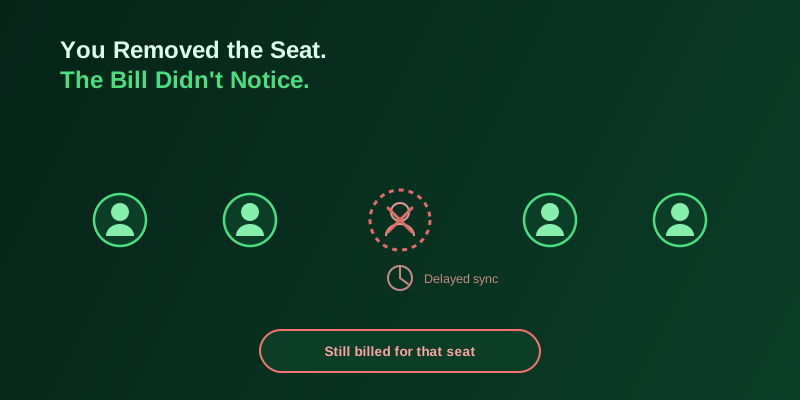
When an admin removes a member in the dashboard, that person really does lose access immediately and disappears from the team list — the action looks complete. But on the billing side, that removal typically only edits a field that says "seat count for the next cycle." It does nothing to a cycle that has already been generated or already charged. The interface's timeline and the billing system's timeline are two parallel tracks that don't talk to each other: "removed" in the member list does not mean "credited" on the invoice, and that gap is the single most common trap admins fall into the first time they hit it.
3. Why no instant refund: prorating mid-cycle requires extra logic most platforms skip
Refunding a removed seat precisely mid-cycle means calculating how many days of the cycle that seat had left unused, then crediting the proportional amount back — technically not hard, but it requires the platform to build a dedicated settlement workflow, plus branches for refunding to the original payment method, crediting account balance, or offsetting the next invoice. That's added operational cost and dispute risk. "No refund this cycle, fewer seats billed next cycle" is the path of least resistance, and it's the default for a lot of AI subscriptions aimed at small and mid-size teams. Prorated refunds are usually only negotiated as a line item in enterprise contracts.
4. Frequent team turnover compounds the lock window every time
If a team has a lot of churn — project-based hires, rotating interns, external collaborators added and removed as needed — every add and every removal gets locked to a different cycle boundary. A seat removed this month usually won't stop billing until next month, while a seat added this month is often charged from the day it joins, sometimes for the full month regardless of when mid-cycle it was added. The two rules aren't symmetric: additions bill fast, removals credit slow. The seats a team is actually paying for stay consistently higher than the seats currently in real use, and the more turnover a team has, the more that gap compounds. This is the hidden reason a lot of team AI bills run persistently higher than headcount would suggest.
5. Some platforms add a seat lock-out period on top of the billing delay
Beyond the refund delay, some platforms add another restriction: a seat that was just removed cannot be reassigned to a new member for a period of time, often until the current billing cycle ends, even if the team is perfectly willing to pay for that new person normally. This limitation typically exists to stop teams from rapidly rotating the same seat across multiple short-term collaborators to dodge per-head pricing. For a normal team, this means even a seamless handoff between an outgoing and incoming member can hit a temporary mismatch between what the billing system shows and who actually has access.
6. Timing matters more than the action itself: when you delete a seat changes the outcome
Because billing only reads the snapshot taken at the start of a cycle, exactly when the deletion happens matters a lot. Delete a seat a few days before the current cycle ends, and the next invoice will most likely reflect the lower headcount right away. Delete it just after a new cycle's snapshot has already been generated — even by a day or two — and you may be stuck paying for that seat through an entire extra cycle. That means the timing of the action matters more than the action itself if you want to avoid overpaying; the more reliable habit is to do a seat cleanup right before each cycle's cutoff date rather than removing people whenever it happens to come to mind.
7. Which fields to check to confirm the seat count actually synced
The more reliable way to check is to look directly at the billing dashboard for a field like "seats for next billing" rather than just counting how many names remain in the member list — the former is what actually determines the next charge, while the latter only reflects real-time access status, and the two are frequently out of sync until the cycle boundary passes. If the platform provides a billing change history or email notifications, look for language along the lines of "seat adjustment will take effect on [date]" — that's usually the exact end of the lock window, and it's a more reliable source than a verbal answer from support.
8. A dedicated virtual card makes it easier to catch a "removed but not credited" seat
Putting a team's AI subscription charges on a dedicated virtual card, separate from other spending, keeps the statement clean enough that any change in the charged amount after a seat change is easy to spot at a glance, instead of getting buried in a combined statement. If a team is juggling several AI tools and several payment channels, it's also worth comparing virtual card and payment options on a third-party overseas tools directory before settling on one, to keep the team's payment flow clean and make future reconciliation less of a headache.
9. Takeaway: deleting a seat is an action, crediting it is a billing event, and there's always a gap between the two
Per-seat billing effectively splits "access control" and "billing settlement" into two systems that run independently of each other. The delete action an admin performs in the dashboard takes effect on the first system instantly, but on the second, it merely submits a change request that won't be processed until the next cycle begins. Once that's understood, the practical move is to tie seat cleanup to the billing cycle's cutoff date and periodically check the actual billed seat count on the invoice, rather than assuming "removed" means "credited immediately." This series will keep digging into other AI subscription billing and payment details that are easy to take for granted.