
Verification Checklist
- ✓Before joining a team seat, have you asked whether your access ends immediately or after a grace period if the owner account is canceled
- ✓Have you already exported and backed up important chat history, projects, and custom instructions yourself, rather than assuming the platform keeps them indefinitely
- ✓Does your team have a written handoff process for what happens to seats when the owner account changes or is canceled
- ✓Have you confirmed whether your own login email can be used to register an independent account if you ever leave this team
- ✓If the plan supports transferring the Owner role, do you know the actual steps, rather than finding out only after the owner is unreachable
1. Team seat sharing is "one person pays, several people use it"
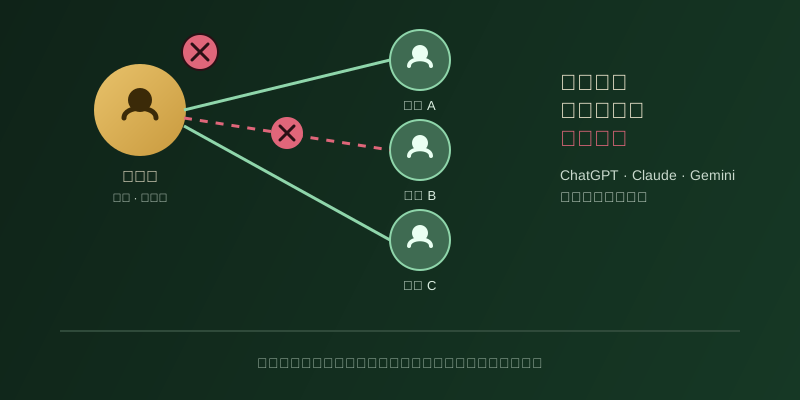
Setting up a team seat is usually simple: someone — a company admin, or just whoever takes the lead among friends or coworkers — opens a ChatGPT Team, Claude Team, or Gemini Advanced multi-seat plan with their own email and payment method, then invites other people by email. Once invited members log in with their own accounts, they get access to the model quota and features included in the team plan. That flow can easily feel like "we're all chipping in and sharing it," but from the moment payment goes through, the actual subscription relationship exists only between the platform and the single account that created it and holds the payment method (call it the "owner account" here). Invited seat holders are authorized users of that plan, not co-parties to the contract — a distinction you rarely notice day to day, but one that becomes very real the moment something happens to the owner account: cancellation, non-payment, departure, or simply losing contact.
2. Ownership sits with the owner account, not with every seat holder jointly
OpenAI's own help center on managing members in a ChatGPT team workspace lays this out clearly: roles split into Owner, Admin, and regular member, and only Owners can change member roles, manage paid seat counts, and purchase settings; a regular member removed from the workspace loses access immediately. That alone shows the plan itself is a layered ownership structure — not everyone in the workspace holds equal control, let alone ownership of the underlying subscription. Anthropic's Claude Team help center is even more explicit: only Owners and Primary Owners can purchase seats and access the organization's billing settings, while Admins and above can only reassign existing members' seat types; payment and ownership stay concentrated in whoever originally opened the plan. In other words, "being on the team" and "owning the subscription" are two entirely different things — being invited never amounts to shared ownership.
3. What happens after the owner cancels — it varies by platform, with no uniform grace period
This is the central question: after the owner account cancels or is deleted, do other seats lose access instantly, or is there a grace period? Based on what we could verify, public documentation is not consistent across platforms, and there's no single "industry standard" number of days that every vendor follows. OpenAI's documentation says a member removed from a workspace loses access "immediately," but that specifically describes removing an individual member — the exact timeline for what happens when the owner account itself is deleted or the whole paid plan is canceled needs to be confirmed in your account settings or with support at the time. Google One's family sharing terms are comparatively explicit: only the family group manager can turn family sharing on or off, and once they disable sharing or leave the group, other members lose access to the corresponding benefits; canceling the whole Google One membership, on the other hand, doesn't remove storage and benefits instantly — restrictions only kick in gradually once usage exceeds the free tier, which is itself an example of "there is a transition, but how long it lasts depends on the specific scenario." We're being upfront here: because we could not find one publicly documented, uniform grace-period number that applies across all overseas AI team-seat scenarios, this article will not invent a specific figure for any platform — check the official help center or terms of service for whichever platform you actually use, and expect that timeline to change over time and across products.
4. What an invited seat holder should confirm and back up in advance
Since both ownership and the survival of your access sit with the owner account, there's a concrete list of things an invited seat holder can proactively do. First, before joining, ask the owner or team admin directly what happens to your access if the owner account is canceled, if the owner leaves the company, or if the payment method changes — and get that in writing or as a documented process if possible. Second, don't assume the platform will keep your chat history, custom instructions, or project files indefinitely, especially once your access to the workspace is removed — content may be flagged for deletion under the platform's data retention policy, so export anything you actually need on a regular basis rather than discovering too late that you can't. Third, if this team seat is tied to your job (a company-provisioned AI tool account, for example), check during onboarding whether the offboarding process actually covers this kind of AI subscription seat — it's common for SSO/SCIM account handoff and AI subscription seat handoff to be two completely separate processes that nobody actually owns. Fourth, find out whether your platform supports transferring the Owner role, and if it does, make sure your team has clarity on who is authorized to do that and under what circumstances, instead of discovering during an emergency that nobody knows how.
5. Bottom line: treat ownership and offboarding consequences as questions to ask before joining
Team seat sharing genuinely saves money and makes collaboration easier, but it rests on a premise that's easy to overlook: ownership belongs only to the account that created and pays for the plan, and invited members hold authorized access, not shared ownership. You won't feel that distinction day to day, but the moment the owner account is canceled, stops paying, or goes silent, it turns into very practical questions — is my chat history still there, can I still log in — and the actual consequences and grace period vary by platform, without a single publicly documented standard. Rather than scrambling after the fact, ask "what happens to me if the owner account has a problem" and "what should I be backing up myself" before you join a team seat — it's always cheaper to ask early.