
Verification Checklist
- ✓Check your purchase history to confirm whether this AI subscription was actually charged to your Apple ID balance or to a linked credit/debit card — this determines exactly where a refund can go
- ✓Before filing a refund request, decide what you actually want: cash you can freely spend elsewhere, or a balance you're fine spending only inside Apple's ecosystem
- ✓If you're a long-term iPhone/iPad user who'll keep subscribing to other apps or buying App Store content, a balance refund isn't a downside — it can even land faster than a card refund; this is a trade-off, not a right-or-wrong call
- ✓Don't rely on guesses or anecdotes from forum threads to predict where your specific refund will land — check Apple's official support documentation, or contact Apple Support directly to confirm the outcome for your order
- ✓If you already have a balance sitting in your Apple ID, new purchases typically draw from that balance first by default — understanding this priority avoids the surprise of thinking you paid by card when you were actually spending down gift card balance the whole time
1. The pattern: the refund gets approved, but it never turns into cash
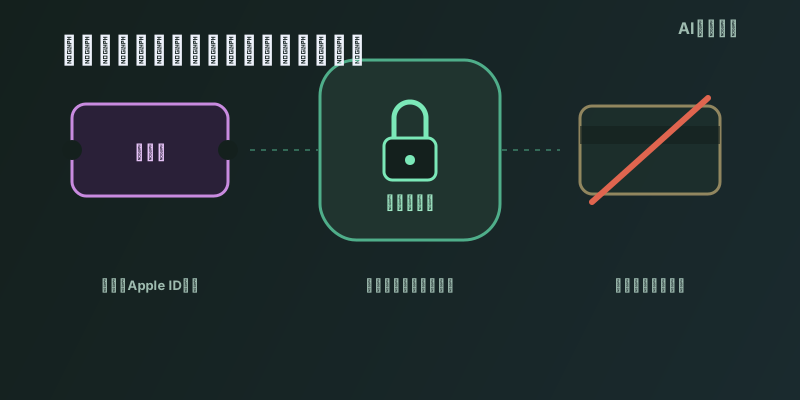
A common scenario: someone buys an Apple gift card at a convenience store or online retailer, redeems the code into their Apple ID balance, then uses that balance to pay for an in-app subscription to ChatGPT, Claude, or another AI app through the App Store. After using it for a while, they decide it's not worth it, cancel, and file a refund request through reportaproblem.apple.com. A few days later they get a notice: the refund is approved. But when they check their Apple ID balance, the money is indeed back — sitting right there in the balance, with no way to withdraw it to a bank account or send it to anyone else. That's usually the moment people realize that "getting my money back" and what actually happened — "a refund posted" — are not the same thing.
2. The rule itself: refunds default to the original payment method, not a path you pick
Apple's official support documentation is fairly explicit about how refunds are settled: once a refund is approved, the money goes back to whichever payment method you actually used to make the purchase, and different payment methods have different posting times — store credit (i.e. Apple ID balance) shows up in your balance within up to 48 hours, while credit cards, debit cards, Apple Pay, Apple Cash, and other payment methods can take up to 30 days to show on your statement. The core logic here is "return by the same path," not "pick whichever destination you want when you file the request." If this subscription was originally charged against your Apple ID balance, the refund can only go back to that balance — there's no option to redirect it to a bank card at refund time.
3. Balance vs. cash: two forms of money with completely different liquidity
Many people equate "refund approved" with "got real money back," but Apple ID balance and cash in a bank account have fundamentally different liquidity. Per Apple's official documentation, funds redeemed from an Apple Gift Card or App Store Gift Card into your account balance cannot be redeemed or returned for cash except as required by law; the balance can only be spent inside Apple's own ecosystem — apps, subscriptions, iCloud storage, Apple Music, and other goods and services sold by Apple or distributed through the App Store. In other words, money refunded to your balance is effectively locked inside Apple's ecosystem — you can't withdraw it to buy something elsewhere, pay down a credit card statement, or send it to family or friends. That's a fundamentally different money path from a credit card refund, which directly offsets your card statement and can be used for anything.
4. When a balance refund is fine, and when it actually matters
Getting a refund back as balance isn't automatically a loss. If you're a long-term iPhone/iPad user who'll keep subscribing to other apps, buying in-app content, or renewing iCloud, that balance will eventually get spent anyway — functionally not much different from cash, and it can even post faster since it skips bank clearing. But if your goal is to step away from Apple's ecosystem entirely — say you're switching to Android — or you simply want the cash for something else, a balance refund is a real, substantive loss: the money is nominally returned to you, but your options for using it have been sharply narrowed. Whether a balance refund works for you depends on whether you'll keep using Apple's ecosystem going forward — not something you want to discover only after the money has already landed.
5. Two things to check before you file a refund request
First, check your subscription record or purchase history to confirm what actually funded this AI subscription — Apple ID balance, or a linked credit/debit card. If you already had a balance sitting in your account, Apple's charging logic typically draws down that balance first, so plenty of people who think they've been paying by card have actually been spending gift card balance the whole time, and any refund will naturally return to that same balance. Second, be explicit with yourself about what you actually want from this refund: if you're just trying to stop paying and you'll keep using Apple's ecosystem anyway, a balance refund is entirely fine. If you want cash you can freely spend elsewhere, confirm the original payment method before submitting the request, and if needed, contact Apple Support directly to ask exactly where this specific refund will land — rather than finding out only after the request has already been approved.
6. Bottom line: refund approved does not mean cash in hand — it depends on the original payment method
Topping up Apple ID balance with a gift card and using it to pay for an AI subscription is a common, convenient move — but that payment path also determines that any refund travels back the exact same way: into the balance, not cash, not a bank card. This is a direct consequence of Apple's official "refund to original payment method" policy. Balance and cash are not interchangeable in terms of liquidity — balance is locked to spending inside Apple's ecosystem, while cash can go anywhere. Whether that matters depends entirely on whether you'll keep using Apple's products and services going forward. Confirming the original payment method and being clear about what you actually want, before filing the refund request, is far more useful than being surprised after the fact.