
Verification Checklist
- ✓After a card reissue, do you still need to manually open Apple Pay/Google Pay to confirm this AI subscription's payment method still shows as active, instead of assuming everything is automatically fine
- ✓If the reissue also switched issuing banks (not just a new card number from the same bank), does Account Updater still cover that scenario — this is a different case from a same-bank reissue and needs separate confirmation
- ✓Is this AI subscription actually paid through Apple Pay/Google Pay directly, or through a regular web card form — only the former involves the DPAN device-token mechanism described here; the latter needs a different fix after a card reissue
- ✓If renewal actually fails in the days after a card reissue, confirm whether the cause is an Account Updater sync gap or something else (balance, limit, AVS address mismatch) rather than assuming it's automatically the reissue
- ✓Don't conflate this article's "device token auto-update" mechanism with two other topics covered on this site — how a virtual card is allocated across multiple subscriptions, and why an authorization hold doesn't match the final settlement — all three sit at different technical layers
1. The scenario: the bank reissues a card, and nothing changes in Apple Pay
A common experience: a credit card expires and gets reissued, or the bank proactively reissues a new card number after a suspected fraud incident. Many users expect their AI subscriptions (ChatGPT Plus, Claude Pro) bound to Apple Pay or Google Pay to fail on renewal — but opening the wallet app shows the subscription still active, and the renewal charge goes through on schedule with no "update your payment method" prompt in sight. Compare that with a subscription paid through a traditional flow — typing the card's real 16-digit number directly into a checkout form — where a card reissue almost always means logging into every subscription individually and re-entering the new number, expiry, and CVV by hand; miss one and that subscription's renewal fails. The gap between these two experiences comes down to two entirely different payment credential mechanisms.
2. What DPAN is: the token Apple Pay/Google Pay actually charge, not your real card number
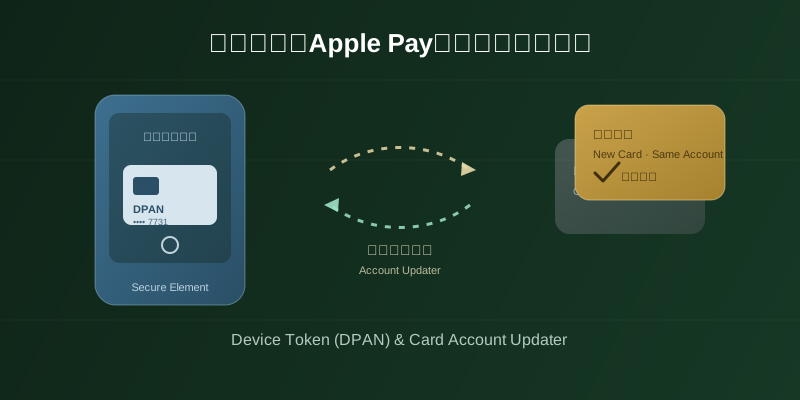
According to Apple's official "Apple Pay security and privacy overview" support page, when a card is added to Apple Pay, the card issuer or its authorized service provider creates a device-specific "Device Account Number" (DPAN), encrypts it, and stores it in the device's Secure Element — a number that can't be decrypted by Apple and is never stored on Apple's servers or backed up to iCloud. In other words, DPAN is not the actual card number printed on the physical card (sometimes called the FPAN, Funding Primary Account Number) — it's a tokenized substitute tied to "this device plus this wallet." The same physical card added to a different device generates a different DPAN. Google's official blog describes a similar mechanism for Google Wallet's "device tokens": for every card added, Google Wallet generates a device-specific virtual account number, and the real card number is never stored on the device or shared with the merchant. What a merchant actually receives and charges against, in either case, is this tokenized device account number — not the real card number.
3. Who syncs the change after a reissue: the card network's Account Updater working in the background
Although a DPAN is tied to a device, it still maps back to the real underlying cardholder account, and that mapping is maintained by the card issuer and the card network. According to Visa's official developer documentation for Visa Account Updater (VAU), when a participating issuer reissues a card — whether due to expiry or a fraud-triggered reissue — the issuer submits the new account number and expiration date to VAU, and enrolled merchants can retrieve the updated card information through their acquirer. This mechanism was originally built for traditional card-on-file merchants, to reduce renewal failures caused by outdated card data. For Apple Pay/Google Pay subscriptions using tokenization, as long as the new and old card map to the same underlying cardholder account, this same issuer-to-network sync typically keeps the device-side token valid too — without the cardholder having to manually delete the old card and re-add the new one in Apple Pay/Google Pay.
4. This is fundamentally different from manually typing in a card number
It's worth being precise about the distinction between the two models. If an AI subscription uses the traditional route — a user typing the card's real 16-digit number, expiry, and CVV into a checkout page — the merchant's database stores that card's real credential (or a token the merchant generated that's tied to that specific physical card). Once the bank reissues a new card number, that stored credential simply stops working, the renewal charge fails, and the user has to log back into that platform and re-enter the new card details. With Apple Pay/Google Pay, the merchant received a device-specific DPAN from the start — a token that typically doesn't immediately break on a card reissue, because it relies on the issuer-to-network sync described above to relay the fact that "the underlying account hasn't changed," rather than requiring manual user action. Put simply: the traditional model puts the burden of chasing every card change on the user; the tokenized model shifts that burden to the background sync between the card issuer and the card network.
5. To be clear: Account Updater isn't a 100% guarantee, and coverage varies by issuer
One point worth stating plainly: Account Updater only works if the card issuer actually participates in the service, and if the new and old cards truly map to the same cardholder account — if this reissue also switched issuing banks entirely (say, from Bank A's card to Bank B's card) rather than just a new card number from the same bank, Account Updater generally won't apply, because that's no longer "the same account with a new card number" but a genuinely different account. Beyond that, there is no single, uniformly published percentage figure covering exactly how many issuers and card networks participate, or how promptly the sync actually happens — Visa's and Mastercard's official documentation describes the mechanism and enrollment process but does not publish a unified coverage or success-rate statistic. This article makes no specific claim about any particular coverage or success rate; whether it actually worked for your card is best confirmed by whether the subscription renewed normally after the reissue, and if renewal does fail, work through the verification checklist above rather than assuming this mechanism is a guaranteed fallback.
6. How this differs from the virtual-card allocation and authorization-hold topics covered elsewhere on this site
It's worth distinguishing this from a couple of related articles already published here, so the different technical layers don't get blurred together. This article covers what happens at the payment-credential layer when a physical card is reissued under a tokenized payment method — why the subscription itself doesn't need manual intervention. How a virtual card gets allocated across multiple AI subscriptions (one shared card versus splitting cards per subscription) is about the risk-management and limit strategy of the virtual-card tool itself, an entirely separate question from token syncing after a physical card reissue. Why a credit card statement shows an authorization hold that doesn't match the final settlement amount is about the gap between the "authorization" and "settlement" stages of a payment network — unrelated to whether the underlying card number changed at all. These three sit at different stages of the payment pipeline and shouldn't be used to explain one another; when you hit an actual issue, first work out which of these three categories it actually falls into.
7. To be clear: exact tokenization and Account Updater mechanics vary by platform and issuer
Finally, to state this plainly: the exact way Apple Pay and Google Pay generate and manage DPANs for different card types, and exactly how each issuer and card network participates in Account Updater and what it covers, varies by platform, region, issuer, and card network — there is no single rule that applies uniformly across every scenario. The Apple and Google documentation and the Visa developer documentation cited in this article were publicly accessible and verified as of publication; defer to the latest official information from the relevant platform or issuer for exact implementation details. This article makes no uniform claim about how any specific issuer's Account Updater service performs in practice.