
Verification Checklist
- ✓Does the remaining Fast time shown in your account settings match your plan's allowance (~3.3 hrs Basic / ~15 hrs Standard / ~30 hrs Pro / ~60 hrs Mega)
- ✓Once Fast hours run out, does generation automatically drop into Relax-mode queuing rather than demanding an immediate top-up purchase
- ✓If you need to keep unpublished work private, is your plan actually Pro or above — Stealth Mode isn't available on Standard
- ✓Does any extra Fast GPU time you purchased show an expiration date on your billing page rather than carrying forward indefinitely
1. AI image generation bills by GPU time, not message count
ChatGPT and Claude charge a flat monthly fee; GitHub Copilot bills per seat. Midjourney's core billing unit is different — it's "Fast hours," the amount of GPU processing time an image takes to generate. Every plan comes with a set amount of Fast time, and once it runs out, you either drop into slower Relax-mode queuing or buy extra GPU time on top. Miss this distinction and it's easy to assume "the subscription is cheap, so I can generate freely" — only to hit a wall mid-month when the Fast allowance runs dry and every image starts queuing.
2. Midjourney's four subscription tiers compared
| Tier | Best for | Fast hours | Bottom line |
|---|---|---|---|
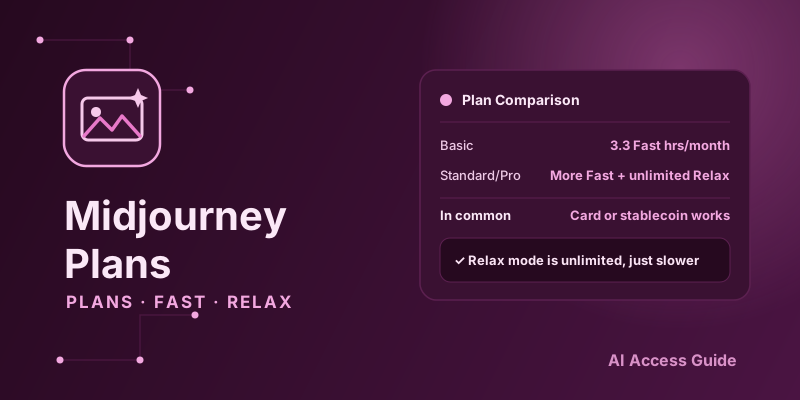
| Basic | Casual use | ~3.3 hrs/month | Fine for occasional generation; overage means Relax-queue waits |
| Standard | Regular creators | ~15 hrs/month + unlimited Relax | The default tier for most individual users |
| Pro | Heavy use / commercial | ~30 hrs/month + unlimited Relax + Stealth Mode | Worth it if you need to hide work-in-progress or generate constantly |
| Mega | Teams / studios | ~60 hrs/month + all Pro perks | For the highest-volume team scenarios |
3. Fast mode vs Relax mode: how the billing actually works
Fast mode trades GPU time for speed — an image renders in tens of seconds, drawing down the Fast-hour allowance built into your plan. Relax mode doesn't touch your Fast hours, but generations queue, sometimes for several minutes to over ten during peak hours. Standard tier and above come with unlimited Relax, meaning running out of Fast hours doesn't stop you from generating — it just gets noticeably slower. New users often mistake this for "the plan is used up, time to pay more," which isn't quite right.
4. Which tier fits an individual creator
If you only generate a handful of images occasionally — a blog header here, a social post there — Basic's 3.3 Fast hours is usually enough, and you can switch to Relax mode and wait it out when you're not in a hurry. If you create consistently and iterate on prompts frequently, Standard is the best value starting point — unlimited Relax means you're never fully blocked once Fast hours run out. Pro only becomes necessary if you need to keep unpublished work private (Stealth Mode) or generate at very high volume.
5. Allocating Fast hours for a team or studio
Midjourney's team plan shares GPU time across a subscription account rather than billing strictly per seat the way GitHub Copilot does — so the planning question for a team isn't "how many accounts do we buy," it's "how big a GPU-time tier do we need." Teams with modest output are usually fine on Standard or Pro; teams with a dedicated designer doing high-volume, iterative generation get more value from Mega, since it avoids the whole team's output slowing down every time Fast hours run dry. The same "evaluate actual usage before scaling up" approach from our Copilot vs Cursor: Which AI Coding Plan to Pick applies here too.
6. Paying with stablecoin or a virtual card
Midjourney bills the same way other overseas AI services do — through a card or whatever other channel the platform supports. If you're already paying for ChatGPT or Copilot with a virtual card or stablecoins, the same setup carries over directly to Midjourney; no separate card needed. If your stablecoins sit on the wrong chain, a cross-chain swap aggregator can bridge them ahead of time — AllSwap works without registration and is non-custodial: pick your source and destination assets, compare quotes, and complete the swap before your renewal date.
7. Common pitfalls
A few issues come up often enough to plan for: Fast hours accumulate by the hour, and more complex generation settings (higher resolution, more variations) burn through more time per image — two "single image" generations can cost very different amounts of Fast time. Annual billing is cheaper than monthly but locks you into a full year, and switching to a higher or lower tier mid-cycle is restricted, so it's worth running a month or two on monthly billing first to gauge actual usage before committing annually. Commercial-use terms vary by tier and company revenue size, so confirm you actually qualify for commercial use under the official terms before relying on Midjourney output for paid work.
8. Summary
Midjourney's billing logic centers on GPU time rather than a simple message count or seat count, and understanding the Fast/Relax split is the key to picking the right tier. Payment still comes down to the same virtual card or stablecoin setup as any other subscription. This is the third piece in the "Beyond Chatbots" series; part four, What AI Video Generation Costs: Runway vs Luma AI, is now live.