
Verification Checklist
- ✓In Copilot's billing settings, is premium-request usage close to or over the monthly allowance, and is automatic overage purchasing turned on?
- ✓In Cursor's account settings, is "usage-based pricing" toggled on, and does exceeding the included allowance auto-throttle to slow mode or generate an extra charge?
- ✓For a new team seat, has actual usage frequency for core members been confirmed first, rather than buying seats for the full team headcount upfront?
- ✓Before renewing with stablecoins or a virtual card, does the card balance or on-chain balance cover the month's potential overage charges, not just the base subscription price?
1. Why coding assistants don't bill like chat AI
ChatGPT and Claude keep billing simple: pick a tier, pay monthly or annually, and usage barely changes the math. GitHub Copilot and Cursor don't work that way — their billing unit is often a "seat" or a "request," not just an account. Teams pay per head, while individuals can run into usage overage charges on top of the base plan. Miss that distinction and you'll either over-provision seats for a team or underestimate what you'll actually pay each month as a solo developer.
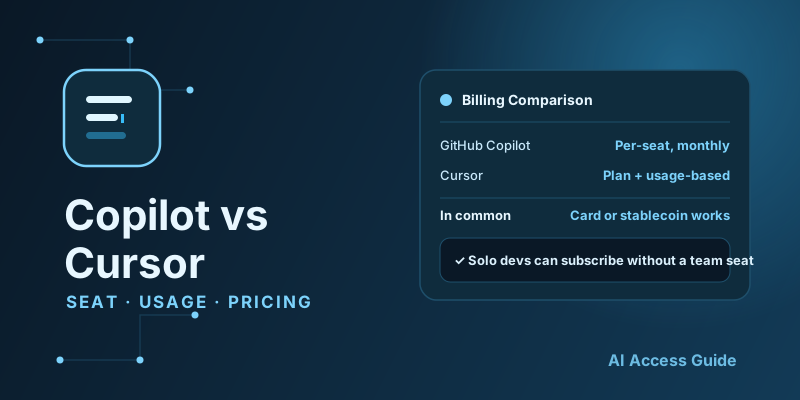
2. Copilot vs Cursor: full billing comparison
| Dimension | GitHub Copilot | Cursor |
|---|---|---|
| Billing unit | Per seat (per GitHub account) | Per account + request volume |
| Individual tier | Individual, flat monthly fee | Pro, flat fee with a fast-request allowance |
| Team tier | Business/Enterprise, billed per seat | Business, per-seat plus a shared usage pool |
| Overage handling | Unlimited completions; premium model requests counted separately | Auto-throttles to slow mode or charges for extra usage past the fast-request allowance |
| Integration | Plugin into mainstream IDEs | Standalone editor with deep native AI integration |
3. Which one fits a solo developer
If your daily driver is VS Code or a JetBrains IDE and you mainly need completions and light chat-style help, Copilot Individual is usually enough, and its flat price makes monthly budgeting easy. If you regularly need cross-file refactors or want to generate a whole feature from a natural-language description, Cursor's native editor experience tends to feel smoother — just watch how premium model requests get billed once you exceed the allowance, so a busy month doesn't turn into a surprise charge. The two aren't mutually exclusive; plenty of developers keep one as their daily driver and open the other on a monthly basis just to compare.
4. Allocating team seats without wasting them
The most common team mistake is buying a seat for every headcount slot, including people who aren't actually coding with AI assistance yet — that's pure waste over time. A safer approach is to onboard core developers first, watch actual usage and request volume, then decide whether to expand. If part of the team prefers Copilot's plugin style and another part prefers Cursor's standalone editor, subscribe by sub-team instead of forcing everyone onto one tool. The tool-evaluation approach from our Best Tools for Overseas AI Subscriptions (2026) applies just as well to choosing a coding assistant for a team.
5. Paying with stablecoin or a virtual card
Whether it's Copilot's per-seat monthly fee or Cursor's subscription-plus-usage charge, payment works the same way it does for ChatGPT or Claude — a card or whatever channel the platform accepts. If you're already paying for other AI subscriptions with a virtual card or stablecoins, the same setup carries over directly; there's no need to open a separate card just for a coding tool. If your stablecoins sit on the wrong chain, a cross-chain swap aggregator can bridge them ahead of time — AllSwap works without registration and is non-custodial: pick your source and destination assets, compare quotes, and complete the swap before your renewal date so the charge doesn't fail for lack of the right on-chain asset.
6. Common pitfalls
A few issues come up often enough to plan for ahead of time: over-provisioned team seats don't refund mid-cycle, so pilot with a small group before expanding; if Cursor's "pay for extra usage" option is on, running out of the fast-request allowance can rack up charges well beyond the subscription price before you notice — set a usage cap or alert threshold in settings first; and Copilot's enterprise tier has its own code-privacy and data-retention terms that don't automatically match the individual tier, so confirm the policy before rolling it out to a team with sensitive codebases.
7. When to switch tools, and how to migrate without wasting money
The most common trigger for switching between Copilot and Cursor is a change in workflow — moving from light autocomplete assistance to large-scale AI-driven refactors, or the reverse, wanting something lighter-weight again. You don't need to cancel the existing subscription right away; most teams run both in parallel for one billing cycle, let core members trial the new tool, and confirm the productivity gain is real before switching seats over. Even if the team ultimately decides not to switch, the only cost is one month of overlap — not the rework of a failed migration.
8. Summary
GitHub Copilot and Cursor both fall under "AI coding assistant," but their billing units, overage rules, and best-fit scenarios differ enough that solo developers and teams need to evaluate them separately. Payment still comes down to the same virtual card or stablecoin setup either way. This is the second piece in the "Beyond Chatbots" series; part three, Picking a Midjourney Plan: How GPU Time Billing Works, is now live.