
Verification Checklist
- ✓Does the tier shown in your GitHub Copilot account settings (Free/Pro/Pro+/Max) match what's actually being charged
- ✓Is your Copilot monthly credit usage close to the included allotment, and has any overage triggered an extra charge
- ✓Does the monthly credit balance shown on your Runway billing page match the official credit count for your chosen tier (Standard/Pro)
- ✓Do unused Runway credits reset at the next billing cycle, and do you need to use them before they expire
1. "AI services" shouldn't just mean chatbots
When people think about subscribing to overseas AI, ChatGPT, Claude, and Gemini usually come to mind first. But for developers, designers, and content creators, the tools that actually move the needle are often more specialized: GitHub Copilot or Cursor for autocomplete and refactoring while coding, Midjourney for generating visuals, Runway and Luma AI for turning a prompt into a short video. Each of these lives in a different field on its own, but put them side by side and their billing models, payment channels, and pitfalls look remarkably similar to chat AI — which is exactly the gap this site's "AI services" coverage has been missing.
2. Three categories of AI tools worth paying for
| Product | Category | Paid tier | Bottom line |
|---|---|---|---|
| GitHub Copilot | Coding assistant | Individual/Business | In-IDE code generation and completion, billed monthly |
| Cursor | AI code editor | Pro tier | Native editor integration, good for large-scale refactors |
| Midjourney | AI image generation | Membership tiers | Mature output quality, monthly plan plus a GPU-time tier |
| Runway | AI video generation | Standard/Pro | Billed by compute time, suited to short clips and effects |
| Luma AI | AI video/3D generation | Subscription + credits | Text-to-video and 3D asset generation with a friendly entry point |
3. The subscription logic is the same as ChatGPT or Claude
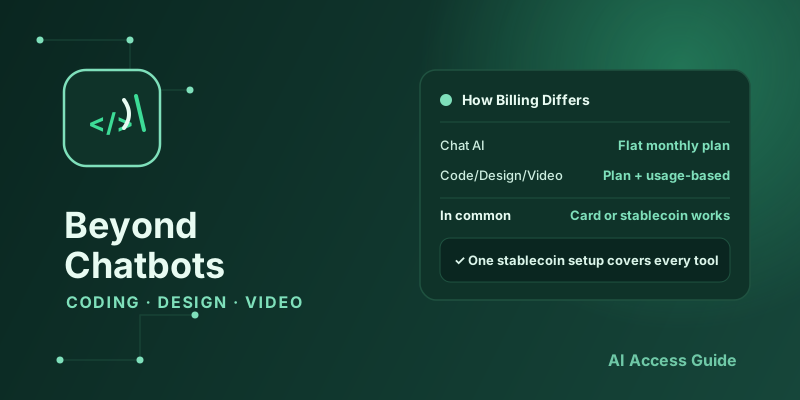
These tools follow almost the same billing pattern as chat AI: priced in US dollars, billed monthly or annually, and many stack a "subscription plus usage" hybrid on top — Midjourney's monthly fee includes a certain amount of fast-generation credits, and once you exhaust them you either wait in the slow queue or buy more compute; Runway and Luma AI charge more explicitly by generation time or credit count. Payment runs into the same old issues too — overseas card acceptance, regional pricing gaps — and the sign-up logic covered in our Complete Guide to Subscribing to ChatGPT & Claude largely carries over to these tools as well.
4. Pay for all of them with one stablecoin setup
If you're already using a virtual card or stablecoins to pay for ChatGPT or Claude, that same card or stablecoin reserve usually works directly for GitHub Copilot, Midjourney, and Runway too — no need to set up a separate payment channel for each product. If your stablecoins sit on a different chain than the one a given product accepts, you'll need to bridge to the right chain first — a cross-chain swap aggregator can handle that step. AllSwap is a non-custodial aggregator that works without registration: pick your source and destination assets, compare quotes, and complete the swap — useful for getting stablecoins into position before signing up for a new tool.
5. What to check before picking a paid tier
Free tiers vary a lot across these tools, so confirm three things before you commit: whether the free tier is actually a hard usage cap or just a slower queue — Midjourney dropped its free tier entirely, while some image/video tools just throttle free users; whether the paid tier is flat-rate or subscription-plus-usage, and whether the per-unit usage pricing is transparent; and what happens once you exceed your allowance — auto-stop, auto-throttle, or an automatic charge for extra usage, which is exactly the kind of thing that shows up as a surprise line item at the end of the month if you don't check upfront.
6. Common pitfalls
A few problems come up often enough to plan for: some products auto-upgrade you to a pricier tier once your free allowance runs out, instead of simply throttling you, which can trigger charges you didn't expect; exchange-rate movement and platform markups mean the actual charge often runs a bit higher than the sticker price — the same issue chat AI subscriptions have; and some coding/design tools apply stricter regional or seat-count limits on team and business tiers, so check that your usage actually qualifies for the "Individual" tier before you buy.
7. A mixed strategy: steady subscriptions plus pay-as-you-go tools
The practical approach is to tier your spending: put your daily, high-frequency chat AI use (writing, light coding help) on a stable monthly subscription, and for image or video generation you only need occasionally in bulk, favor tiers that let you buy by the generation or by the credit — use only what a given project needs instead of carrying a long-term subscription for a short-term spike. For teams, our Managing AI Subscriptions for Teams: Full Guide covers allocating seats by project rather than by headcount, which applies just as well to these tools.
8. Summary
Overseas AI services have long since outgrown the chatbot-only mental model — coding assistants, image generators, and video generation tools run on the same subscription and payment logic, and can share the same virtual card or stablecoin infrastructure. This is the first piece in a loose series: it lays out the categories and the shared payment picture. Part two, Copilot vs Cursor: Which AI Coding Plan to Pick, is now live; follow-ups will go deeper on AI image tools and AI video generation individually.