
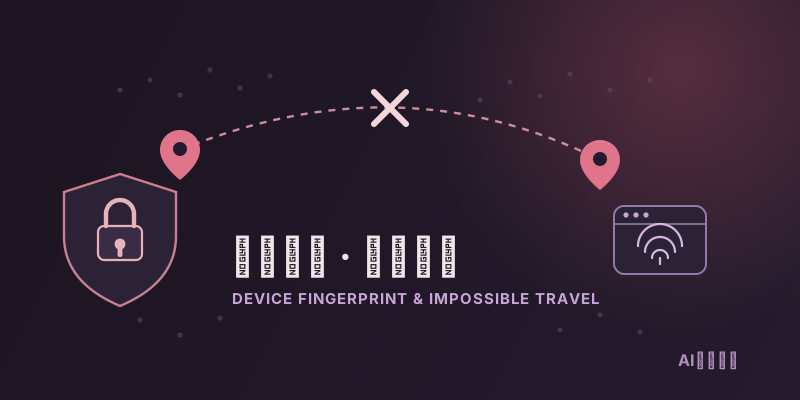
Verification Checklist
- ✓Does the location shown in the login alert or security email actually match the city/country you're really in
- ✓Have you logged into the same account from two cities far enough apart that no normal travel speed could cover the distance within 24 hours
- ✓Did this login coincide with switching browsers, devices, or a VPN/proxy node, changing your device fingerprint from what the platform has on file
- ✓Does the sender domain on the step-up verification or lock notice match the platform's historical official domain, and does the appeal link point to the platform's own domain rather than a suspicious short link
- ✓Confirm whether this incident is a login block (verification/lock) or a renewal charge block (a separate payment risk system) — the fix path differs, so identify which one you're dealing with before appealing
1. The password is right, so why did the login still get blocked
Plenty of people hit an unexpected block right after a business trip, a move, or switching to a new VPN node while logging into their usual AI account: not a "wrong password" message, but an email code, a CAPTCHA, or an outright "unusual login detected, account temporarily locked" notice. This has little to do with password strength or whether the account was actually breached — it comes from a login/session risk engine built into the platform. Even after you enter the correct password and pass identity checks, this engine runs an additional score on "how much does this login itself look like your normal behavior." Cross a threshold, and it triggers manual verification or an outright lock, even when the account was never compromised at all.
2. Trigger #1: a device fingerprint change
Platforms lean heavily on device fingerprinting to judge "is this really the same person" — a combination of signals like browser version, User-Agent string, screen resolution, timezone, installed fonts, and Canvas/WebGL rendering characteristics. A new device, a different browser, clearing your browser cache and cookies, or even just updating your browser to a new version can all produce a fingerprint combination that doesn't match your login history. The risk engine doesn't see "the user switched browsers" as a simple, benign fact — it sees "a device unlike any prior login is attempting to access this account," which is exactly where fingerprint mutation gets misread most easily.
3. Trigger #2: an IP geolocation jump
Traveling to another city, switching VPN/proxy nodes, or even your home broadband provider reshuffling its exit IP range can all make this login's IP location diverge sharply from your last one. If two logins happen close together in time but geographically far apart — farther than any normal mode of travel could cover in that window — it trips a judgment logic similar to "impossible travel" or "atypical travel" detection. This isn't something AI providers invented on their own; similar mechanisms are common across mainstream identity security systems. At its core, it's inferring how plausible this login is from how plausible the geographic jump is.
4. Trigger #3: an unusual login time
Beyond device and location, the time a login occurs is its own independent signal. If you normally log in during daytime hours in your usual timezone but suddenly log in late at night from a timezone you rarely appear in, that time-axis anomaly gets factored into the risk score even if the device and network look "normal" on their own. The three signal types — device fingerprint mutation, IP geolocation jumps, and login-time anomalies — usually aren't judged in isolation but combined: one signal alone might just get logged, while several appearing together is far more likely to trigger forced step-up verification or a temporary lock outright.
5. This is login risk control, not the payment risk control that blocks renewals — two separate systems
One distinction has to be made clear here, since it's frequently confused: the login/session risk control discussed in this article and the payment risk control covered in a separate article, "Why a Family Member's Card Keeps Getting Fraud-Flagged," are two entirely independent systems, with different trigger conditions, different scopes of impact, and different resolution channels. Login risk control evaluates "does this login behavior look like you," and it affects whether you can get into the account at all. Payment risk control evaluates "does this charge look like fraud," and it affects whether a subscription renewal successfully bills. You can be blocked by login risk control while renewals process fine, or have a renewal blocked while login is completely normal. Treating the two as the same issue when appealing will most likely send you to the wrong channel and waste time.
6. What the appeal process looks like after a temporary lock
If login risk control locks the account outright, the typical appeal path is: find the official appeal/account-recovery entry point on the lock notice page or the security email (verify the domain carefully — don't click a link that looks familiar but resolves to the wrong domain), then complete identity verification as prompted — commonly re-verifying the registered email, answering account-specific questions, or uploading identity documentation. Some platforms will also ask you to explain why this login came from an unfamiliar location or network (a business trip, a new device, etc.). Most platforms' automated appeals resolve within minutes to a few hours; if it escalates to manual review, expect anywhere from one to three business days or longer depending on the platform. Once unlocked, check the account's device list and recent activity log right away to confirm no unfamiliar sessions are lingering.
7. Prevention steps for frequent travelers and people who switch networks often
If you travel or switch networks often, a few habits noticeably cut the odds of getting caught by login risk control: avoid logging into the same account from two physically distant locations within a short time window — if you genuinely need to, wait a buffer period after arriving somewhere new before logging in; try to keep using the same device and browser for your usual AI accounts, and avoid frequently clearing cookies or bouncing between multiple browsers, which keeps your device fingerprint relatively stable; if you use a VPN or proxy, stick to the same node or a small, consistent set of nodes rather than switching to a brand-new one right before logging in; and if you know a major location change is coming (an upcoming trip abroad, say), check your account security settings ahead of time for a "trusted devices" or "login notifications" option and configure it proactively.
8. Summary
A new network or device suddenly triggering step-up verification or a temporary lock on an AI account comes down to a login/session risk engine jointly weighing device fingerprint changes, IP geolocation jumps, and login-time anomalies — a system that's completely separate from the payment risk control that blocks renewal charges. Figure out which system is actually blocking you before you appeal. Once locked, working through the official appeal channel's identity verification steps usually restores access fairly quickly, and for people who travel or switch networks often, keeping a stable device fingerprint, avoiding logins across distant locations in a short window, and being cautious about switching VPN nodes are three concrete, actionable habits.