
Verification Checklist
- ✓Has an API key ever been hardcoded and committed to your repository — even if it was later removed from the latest commit, it may still sit in the git history and needs a dedicated history scan, not just a check of the current files
- ✓After spotting a spike in usage or billing, did you go straight to the console and revoke that specific old key and generate a new one, rather than assuming a login password change would fix it
- ✓After revoking the old key, did you check the full call log and billing detail for the affected window to confirm the actual loss and the call sources, as the basis for deciding whether to contact support
- ✓Has every place that referenced the old key — local environment variables, CI/CD pipelines, server deployment configs — been updated to the new key, so no leftover reference keeps failing or leaves a lingering risk
- ✓Is the repository's public/private visibility set correctly, and — especially before flipping a personal project from private to public — have you re-checked the commit history for any leftover key strings
1. A common scenario: the key rides along with the code into a public repo
The most common way this happens: a developer finishes a script calling the DeepSeek or Qwen API locally, hardcodes the API key directly into the code as a string for convenience, confirms it works, then pushes the whole project to GitHub — maybe as a backup, maybe to open-source it — without realizing the repository is public, or without realizing that content in public repositories gets continuously monitored by automated scanners. On platforms like GitHub, automated scripts genuinely do scan public commit history for strings matching known API key formats; once one is caught, it gets tested quickly, and if it works, it gets used to fire off a flood of requests until the balance runs out or the platform's risk controls step in.
2. Two separate credential systems: what the login password controls, what the API key controls
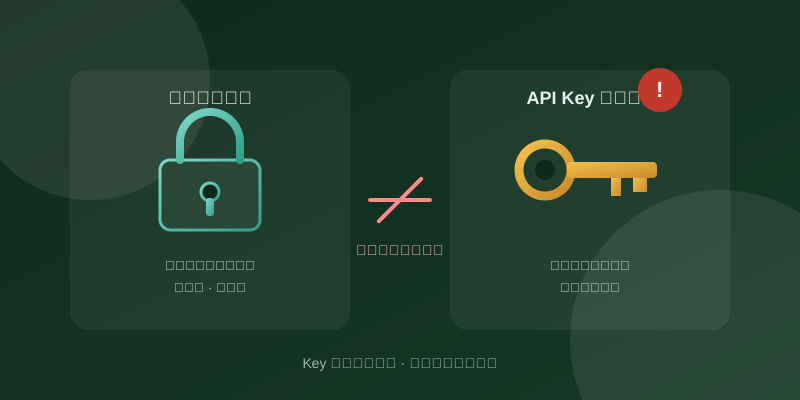
To understand why the login stays clean while the bill gets drained, you need to see that a developer account actually holds two entirely independent credentials. The first is the "login password" — used to sign into the vendor's official console (the DeepSeek platform or Alibaba Cloud Model Studio, for instance), where you can view billing detail, change account settings, manage team members, and check usage reports. This credential protects "who can get into the admin backend." The second is the "API key" — a string generated by the platform specifically for calling the paid model endpoint from code, passed as a Bearer token in the HTTP Authorization header (like `Bearer sk-xxxx`); the server just checks whether that string is valid and processes the request, without ever checking whether the caller knows — or even needs to know — the account's login password. The two are separated by design: one faces a human logging in through a browser, the other faces a program calling the API at high frequency, and bundling them together would only make fine-grained permission control harder.
3. Why the attacker can call freely while the login history stays spotless
Because an API key's call path never passes through a "login" action at all, once an attacker grabs a valid key from a public repository, they can send requests directly to `api.deepseek.com` or the Model Studio API gateway. From the platform's perspective this is just an ordinary HTTP call, indistinguishable from the developer's own normal usage of that same key — so it leaves zero trace in the account's login activity log, device list, or geolocation history, because the attacker never performed a "login" at any point. All they hold is a string of characters, not the account password, and they don't need the password at all. That's exactly why so many developers, after spotting a billing anomaly, check the login log or change the password first — and find nothing unusual, with the unauthorized calls continuing regardless: the login password was never connected to this particular breach in the first place.
4. Why changing the login password alone doesn't fix it — you have to revoke the key in console
Since what the attacker took is the key string itself, not a login credential, changing the login password only makes "who can sign into the console" safer — it does nothing to affect "who's still holding a valid, unrevoked key." The leaked key string remains fully usable as long as it hasn't been flagged invalid by the platform; anyone holding it can keep calling successfully, completely independent of whether the account password changed. The only thing that actually invalidates a leaked key is logging into the console, finding that specific key on the API key management page, and deleting or revoking it (the exact menu wording — "delete," "disable," "revoke" — varies by platform and may shift with UI updates, so follow whatever your actual console shows), then generating a new key to replace it in your code and deployment. Alibaba Cloud's official Model Studio documentation states plainly that if an API key leaks, you should go straight to the API key page, delete the old key, and create a new one — confirming that revoking the old key, not changing the login password, is the correct fix.
5. What to do once a leak is confirmed: revoke, rebuild, verify
A reasonably complete response once a key leak or billing anomaly is confirmed looks like this: first, log into the console immediately and delete or revoke that specific key so the leaked string stops working right away — this is the single most urgent step; second, generate a new key and replace every place still referencing the old one — local dev environment, server deployment config, CI/CD pipelines — making sure nothing gets missed; third, go back to the console's usage or billing detail page and check the exact call counts and charges during the anomalous window, which becomes the basis for gauging the scale of loss and deciding whether to contact platform support for verification; fourth, if the key leaked through a code repository, run a dedicated scan of that repository's full commit history — not just the current files — to confirm whether that string, or any other previously used key, is still sitting in an old commit, cleaning the history or simply retiring the old repo for a fresh one if needed.
6. Day-to-day habits that keep keys from ending up hardcoded
Rather than cleaning up after a leak, it's worth investing effort in habits that lower the odds of one happening at all. Concretely: never write the key as a plain string directly into a file that gets committed to version control — read it from an environment variable at runtime instead (Alibaba Cloud's official docs, for instance, recommend setting a `DASHSCOPE_API_KEY` environment variable and reading it in code, rather than hardcoding it into the source); add a `.gitignore` entry so the local config file holding the key (like `.env`) is excluded from version control and can't be committed by mistake; where possible, configure an IP allowlist or restrict which models a given key can call in the console — even if the key leaks, calls from outside the allowlist get blocked; for browser- or mobile-facing scenarios that count as untrusted environments, prefer the platform's official temporary API key mechanism (Alibaba Cloud's docs note a temporary key's validity tops out at 1800 seconds) rather than shipping a long-lived key straight to the client; and rotating keys periodically while promptly deleting old, unused, or retired ones shrinks the exposure window if one ever does slip through unnoticed.
7. Summary: the split is by design, so the fix has to follow the same split
The login password and the API key are two independent credential systems because they protect two different things: one protects who can sign into the admin console, the other protects who can present a string of characters to call a paid endpoint — there's no cross-verification between them by design. That's also exactly why changing the login password does nothing once a key has leaked: the only effective fix is going back to the console, revoking that specific key, generating a new one, and checking the call log and billing detail for the affected window. Storing keys in environment variables instead of hardcoding them, configuring IP allowlists, and rotating keys on a schedule are concrete habits that genuinely lower the odds of a leak in the first place.