
Check before you reconcile
- ✓Split the product. Text-to-video bills successful output seconds. Reference-to-video adds input-video billed time to those seconds.
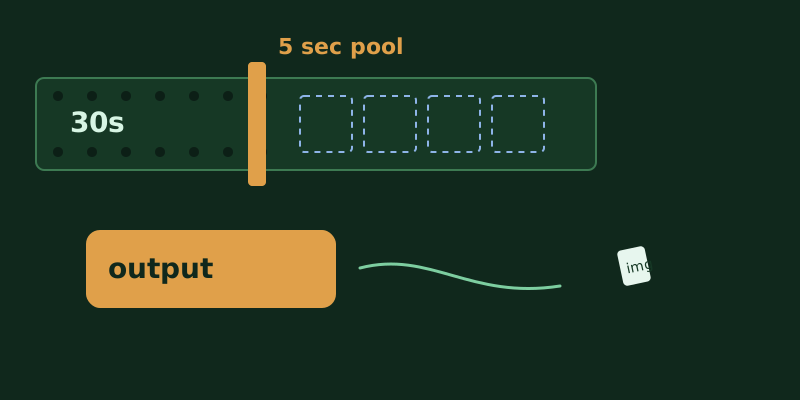
- ✓The input pool is five seconds. One reference video caps at 5, two at 2.5 each, three at 1.65, four at 1.25, five at 1. Then take the shorter of that cap and the real length.
- ✓Images add no seconds. On 2.7, images and the first frame stay out of the divisor. On 2.6, reference images count as materials. The first frame still does not.
- ✓Output seconds bill in full and sit outside the pool. Omitting duration keeps 5 seconds. Omitting resolution on Wan 2.7 keeps 1080P.
- ✓A failed call or a processing error bills nothing and does not spend free quota. Unit prices, regions, and promotions stay on the model price page and in the console.
1. Text-to-video bills output. Reference-to-video adds the input clips
The Wan text-to-video guide states the meter in one sentence: input is not billed, output is, by the seconds of video that were generated successfully. A failed call or a processing error produces no fee and does not spend free quota. The same page says text-to-video also supports a savings plan. The plan offsets the fee. It does not shorten the seconds.
The reference-to-video guide states a different sentence. Input images are not billed. Input video and output video are billed by video seconds. The formula on that page is: total billed seconds equal input-video billed seconds plus output-video seconds. Failure or a processing error again produces no fee and does not spend the new-user free quota. Adding a 30-second reference file on top of the output uses the file length. The formula uses billed length.
Both sentences hold, for two different calls. A prompt alone is text-to-video, and the input side is zero. A reference video is the other call: the input side is truncated, then added to the output. Images add no seconds of their own in either sentence. The step-count formula for Wan image training belongs to another article. Speech billed by character, or a dialogue billed by round, is not this video-second meter.
2. Five seconds is a pool, and 2.6 treats images differently from 2.7
Reference-to-video keeps input-video billed time inside a pool whose ceiling is 5 seconds. On wan2.7, the per-video cap is 5 seconds divided by the number of input reference videos. Reference images and the first-frame image are not part of that count. Each video then bills the shorter of its real length and that cap, and the videos are summed. The page lists the steps: one video caps at 5 seconds, two at 2.5 each, three at 1.65, four at 1.25, five at 1. The worked example is two reference videos plus one image. The image is ignored, the cap is computed for two videos, and each is 2.5 seconds. A 30-second clip, when it is the only reference video, bills 5 seconds on the input side, not 30. A 1-second clip bills 1 second. The cap does not stretch a short clip up to 5.
wan2.6 uses the same 5-second pool, but the divisor is the count of reference materials. Reference images and reference videos both count. The first frame still does not. The page spells this out. With one material, a video bills min(length, 5 seconds) and an image is free. With two materials the cap becomes 2.5 seconds: one video plus one image bills only that video, capped at 2.5; two videos are both capped at 2.5. Three materials use 1.65 seconds, so one video plus two images still bills only the video. Four materials use 1.25, five use 1. The image adds no seconds of its own. It does occupy a place in the divisor, and that shortens the cap on every video.
An image that costs nothing is therefore not the same sentence on both series. On 2.7, adding an image leaves the divisor alone, and a long reference video keeps the input seconds it already had. On 2.6, adding an image raises the divisor, and the same long video bills fewer input seconds. Reconciliation starts with the series, then counts what enters the divisor: videos, or materials. The first frame stays out on both sides. Treating the first frame as one more reference image divides the 2.6 cap one extra time.
3. Output seconds bill in full, and the defaults are already on the meter
The output side is outside the five-second pool. The guide says output billed time is the seconds of video the model actually generated. Set duration to 10 and, after success, those 10 seconds are the output, stacked on whatever the input side kept after truncation. A long reference clip limits the input side. It does not cut the output down to 5 seconds.
The text-to-video API reference sets Wan 2.7 duration to an integer from 2 to 15, default 5. Leaving the parameter out still generates 5 seconds. It is not a free preview. resolution is 720P or 1080P, default 1080P. The reference says both fields affect the fee. Aspect ratio changes the pixel size inside a tier. The published price rows are 720P and 1080P, not one row per aspect. Omitting resolution lands on the higher of those two rows. Unit prices, regional differences, and promotions stay on the model price page and in the console. That page says it shows list prices and leaves promotions out.
The reference-to-video API reference also defaults Wan 2.7 duration to 5 seconds, with a ceiling that depends on the materials. When the references include a video, duration is an integer from 2 to 10. With images only, it is 2 to 15. Resolution again defaults to 1080P. On text-to-video, audio longer than duration keeps only the opening stretch and drops the rest. Audio shorter than the video leaves the remainder silent. Billing still follows the output video's seconds, not the audio file's length. A prompt past the character limit is truncated. That changes the words sent in. It does not change the output seconds.
4. Failure is zero. A dead link is not a second billing clock
Both guides say a failed call or a processing error produces no fee. Text-to-video says it does not spend free quota. Reference-to-video says it does not spend the new-user free quota. A cross-region call fails: the model, the endpoint, and the API key have to belong to the same region. That failure sits inside the sentence that failed calls produce no fee. Do not estimate it as a successful generation. A task that is still queued or still running has no successful seconds yet. Output seconds enter the formula after success.
Text-to-video supports a savings plan. A question on the same page says a video can still carry a watermark after you buy the general AI savings plan. The plan only offsets fees. It does not change the model output, and it is unrelated to the watermark switch. It offsets the amount computed from the seconds. It does not turn 10 seconds into 5, and it does not move the default 1080P back to 720P. The reference-to-video billing note does not copy that savings-plan sentence across. Do not cover a reference-to-video bill with the text-to-video offset.
The video URL is valid for 24 hours, and so is a task_id lookup. That is the download clock and the query clock. The seconds were already counted, by the formula, when generation succeeded. Failing to download after 24 hours does not return those seconds, and it does not bill the download again. Save the file, then let the link expire. That order is the validity rule, not the billing formula.
5. A top-up does not resize the pool
Reconcile in five columns. First, the call: text-to-video bills successful output, reference-to-video adds input-video billed time to the output. Second, the input truncation: series, what enters the divisor, the per-clip cap, then the shorter of that cap and the real length. Third, the output seconds: the duration you sent, or the default 5, and whether the task succeeded. Fourth, the resolution tier, including whether it fell through to the default 1080P. Fifth, failure and offset: failure is zero, and the savings plan appears in the text-to-video note, where it offsets the fee only.
Funding the account happens before those columns settle. Swapping stablecoins on-chain into assets that can be paid in does not turn a 30-second reference back into its file length, and it does not move the default 1080P down to 720P. When that swap is the step you need, AllSwap does it without an account, and it is non-custodial. A completed swap only means the asset changed hands. The input pool, the output seconds, and the resolution tier still follow the call that actually succeeded.