
Verification Checklist
- ✓Does the card's expiry leave a 1-2 month buffer beyond the actual billing cycle, rather than expiring right on the billing date?
- ✓For an annual subscription, does the expiry you set actually reach next year's renewal date, rather than a convenient few months?
- ✓If one card covers multiple subscriptions, is the expiry set to whichever renewal date on that card falls latest?
- ✓After switching billing cycles (e.g. monthly to annual) or extending a trial, have you rechecked that card's expiry date?
1. After setting the limit, expiry is another easy-to-overlook variable
Our Setting the Right Virtual Card Limit for AI Subscriptions guide covers how much buffer to leave on the monthly limit, but the limit only answers "is the charge amount covered" — the card itself also has its own separate lifecycle: its expiry date. Whether that date is set sensibly directly decides whether the card is even still alive on renewal day.
2. The problem with setting it too short: the card lapses before renewal day arrives
If the expiry is set to match the current billing cycle exactly with no margin, and the renewal date slips a few days due to a holiday or processing delay on the platform's end, the card may have already expired by then — turning what should have been a normal renewal into an outright failure. These failures rarely come with advance warning either; you typically only notice once the subscription has already lapsed.
3. An easy-to-miss case: annual subscriptions and trials converting to paid
Our Annual vs Monthly AI Subscriptions guide notes that choosing annual billing means the next charge is a year away — if the card was set up with a convenient three-month expiry, it will have already lapsed long before that renewal comes due. The same blind spot applies when a free trial converts to a paid plan: a short-lived card set up for the trial period may already be expired by the time the first real charge lands.
4. The risk of setting it too long: a longer window for an idle card to be misused
Going the other way — setting an expiry years out for what's really a monthly subscription — feels like one less thing to think about, but it just extends how long the card number stays "alive" out there. If a data breach or card-number scan ever happens, the window in which it can be exploited is longer too, unlike a short-lived card that naturally closes that window once it expires.
5. Estimating a reasonable expiry: billing cycle plus a 1-2 month buffer
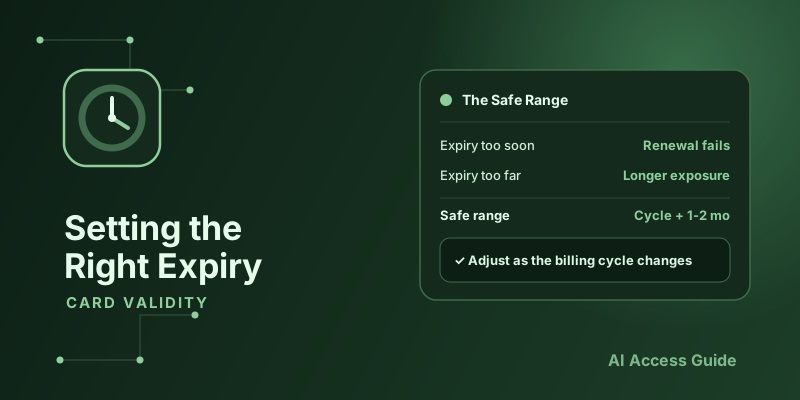
A practical rule: base the expiry on the actual billing cycle (monthly for monthly plans, annual for annual ones), then add roughly one to two months of buffer to absorb normal variation in the renewal date, rather than setting it to expire right on the billing date itself. The buffer doesn't need to be large — the point is avoiding the worst case of the card expiring the day before a renewal.
6. Expiry isn't set-and-forget — update it when your subscription changes
After switching to annual billing, changing plans, or extending a trial, a previously reasonable expiry date can quickly stop matching the new renewal schedule. Make "check whether the card's expiry still covers the next renewal" part of your routine check whenever you adjust a subscription plan, and double-check the relevant card's expiry right away after switching billing cycles.
7. When one card covers multiple subscriptions, size the expiry to the latest renewal date
If you're following the grouping approach from our One Virtual Card for All AI Subscriptions, or One Each? guide and sharing a card across several subscriptions, don't size the expiry for just one of them — base it on whichever subscription on that card renews latest, so the card doesn't expire early and take out several renewals at once.
8. In practice: use a provider that lets you extend expiry on demand
Whether expiry is easy to adjust depends on the provider. Using the virtual card provider RDVCC as an example, each card's expiry can be set independently from the dashboard and extended directly as it approaches, with no need to close and reopen a new card — making it easy to keep pace with a changing renewal schedule.
9. Summary
A virtual card's expiry isn't safer the shorter it is, nor more convenient the longer it is — the goal is a one-to-two-month buffer over the actual billing cycle. Too short risks lapsing right before a renewal; too long extends the window in which an idle card number can be misused. Once it's set, treat it as something to recheck whenever your subscription plan changes, not a one-time task.