
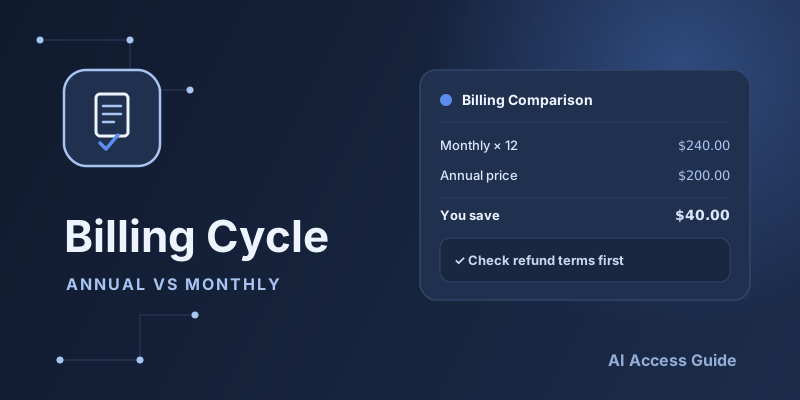
Verification Checklist
- ✓Does the annual total on the billing page, divided by 12, actually land in the roughly 10-12% discount range versus the monthly price?
- ✓Before committing to annual, have you found that specific platform's refund window and proration formula in its account settings or terms?
- ✓When switching from monthly to annual, does the invoice show a prorated credit line item, or does it just restart billing from full price?
- ✓For a team plan, does the annual contract lock in a fixed seat count, and is there a separate process for adding or removing seats mid-term?
1. Annual and monthly are really two different bets
Choosing annual or monthly billing comes down to two bets: whether you'll actually need the service for the next 12 months, and whether pricing will change in the meantime. Our Complete Guide to Subscribing to ChatGPT, Claude, Gemini & More covers plan tiers and sign-up steps, but not which billing cycle to pick — this guide fills that gap.
2. How much annual billing actually saves
For services like ChatGPT Plus, Claude Pro, and Gemini, annual pricing usually works out to roughly 10-12 months' worth of the monthly price — a modest discount, give or take. That's not a dramatic saving, and if you're still testing the waters or your usage is unpredictable, it may not be worth trading away a year of flexibility for.
3. What monthly billing actually buys you
The extra you pay for monthly billing is really the price of being able to stop anytime — when your workflow changes, you switch tools, or you simply don't need AI assistance for a while, monthly billing lets you cancel immediately, while annual plans usually run until the term ends or a refund is approved. If your use case isn't stable, that flexibility can be worth more than the discount you'd give up.
4. Refund policies: the real risk of getting locked into annual
Refund policies for annual plans vary a lot between platforms: some allow a no-questions-asked refund window with a prorated amount, others won't refund once the charge clears, leaving you to just let the term run out. Before committing to annual, check the refund window and proration rules for that specific platform in our Canceling or Getting a Refund guide, so you're not stuck mid-year with no way to get your money back.
5. When annual billing makes sense
If you've already used a service consistently for at least three months, have no near-term plans to switch tools, and a one-time charge doesn't strain your cash flow, annual billing usually pays off — especially for teams, where locking in a core tool's annual rate also saves the monthly hassle of manual renewals.
6. When to stick with monthly first
If you're still trying out a service, comparing ChatGPT, Claude, and Gemini to see which fits, or need to keep spending under monthly control, staying on monthly for at least a month or two is the safer call. Use the evaluation approach from our Tool Selection Guide to confirm this is a tool you'll actually keep using before locking in a year.
7. Switching between monthly and annual
Most platforms let you switch billing cycles directly in account settings, with the change taking effect at the end of the current cycle rather than double-charging you; a few require canceling and resubscribing, which can leave a gap in service if you're not careful about timing. Before switching, take a screenshot of your current subscription status so you have something to reference if support needs to verify anything later.
8. Billing cycle decisions for teams and multiple accounts
Team decisions get more complicated: whether headcount is stable, whether seats will change over the year, and whether finance prefers a one-time charge or monthly amortization all factor into the annual-versus-monthly call. Pair this with the approach in our Managing AI Subscriptions for Teams guide so the billing-cycle decision fits into the broader funding rhythm instead of being made in isolation.
9. Summary
There's no universally "better" choice between annual and monthly — it comes down to how certain you are about needing the service, and whether the refund policy gives you enough room to be wrong. When in doubt, start monthly and switch to annual once you're sure, rather than locking in a year upfront and hoping it works out.