
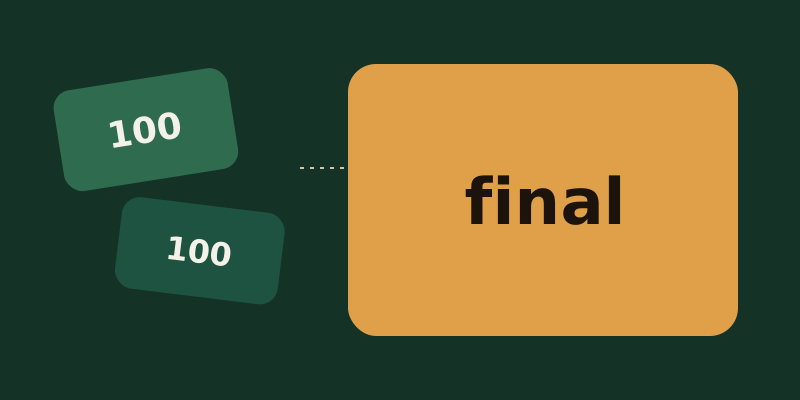
Check before you reconcile
- ✓The finished image is image output tokens, not a per-picture price. The same quality can use a different token count on another model.
autocannot be estimated until the image exists. - ✓Each partial image adds 100 image output tokens. Zero returns only the final image. A faster run can return fewer previews than you requested.
- ✓Edits add image input tokens. A mask or markup does not open a discount row. SVG bills a reference image plus the authoring model. GIF does not support previews.
- ✓Cached input rates for GPT Image 2 and 2.5 apply only to the Responses image tool, not to the Images API or edits. Usage does not list those cached tokens.
- ✓The square-image token table from before gpt-image-2 does not apply to Sunburst or Flare. Unit prices stay on the pricing page.
1. The finished image is output tokens, not one picture
The image generation guide splits the current models into two jobs. GPT Image 2.6 Sunburst is for detailed work and Flare is for fast iteration. GPT Image 2.5 uses the same two names, and the worked examples in the guide still mostly use 2.5. Both paths can set size, quality, format, and compression. The cost section does not publish a flat price per picture. For 2.6 it says image output is billed in tokens, and it sends you to the pricing page for text and image rates. For 2.5 it lists separate rows for text input, image input, image output, and the cached variants of those inputs. The dollar figures on the pricing page move. This article does not freeze one day's rates.
The same price per output token does not mean the same cost per image. The guide says models can use different token counts for the same quality setting while sharing the price of an image output token. The calculator wants an explicit model, quality, and size. auto depends on the image that was generated, so the setting name is not a token count you can write down in advance. On 2.5 and 2.6 the quality values are low, medium, high, xhigh, and max, and both default to auto. gpt-image-2 stops at high. Omitting quality is not a request for the cheapest row.
The square token table belongs to earlier models. The guide titles that section "Earlier GPT Image models" and says the details below apply to earlier models, not to Sunburst or Flare. For models prior to gpt-image-2, output tokens follow size and quality: a 1024 by 1024 image is 272, 1056, and 4160 at low, medium, and high. Portrait 1024 by 1536 is 408, 1584, and 6240. Landscape 1536 by 1024 is 400, 1568, and 6208. Do not copy that table onto 2.5 or 2.6. In the same historical comparison, the guide notes that for gpt-image-2 a larger non-square resolution can sometimes produce fewer output tokens than a smaller or square resolution at the same quality. That note is about gpt-image-2. It is not a law for 2.6. Read usage for Sunburst and Flare, or ask the calculator with explicit values.
Compression and complexity are not token switches. JPEG and WebP take output_compression from 0 to 100. The guide says JPEG is faster than PNG. It does not say compression reduces output tokens. On Sunburst and Flare, complexity is low, medium, or high, and omitting it selects high on both. Adjusting complexity has no separate fee. It controls how much the model plans before it draws. Quality still controls rendering. Complexity can change latency and what appears in the picture. It does not open another price row, and it does not clear the output tokens. Markup-guided edits use the same token rates as other edits, with no extra fee.
2. Each preview adds one hundred. The parameter is not a filled bill
The Responses API and the Image API can both stream. partial_images accepts 0 to 3. Set it to 0 and you receive only the final image. For any larger value, you may not receive every preview you asked for if the full image is generated more quickly. The cost sentence is specific: each partial image incurs an additional 100 image output tokens. Those 100 are image output tokens. They sit on top of the finished image's own output tokens. They do not replace it.
The parameter is the ceiling of previews you hope to receive, not a token charge that is already filled to that ceiling. Ask for 3 and get 1 back because generation was fast, and the sentence attaches 100 to that one partial image. It does not attach 100 to the two empty slots. If both previews come back, that is 200, plus the finished image. Throwing the previews away and keeping only the final file does not remove partial images that were already produced. Count the partial images that were produced, not the files you decided to save.
The adder has a format boundary. SVG does not support streaming or partial images, and neither does GIF. On those outputs there is no "100 per preview" path. A parameter left over from another request does not add 100 to a vector file or an animation. GIF frame_count runs from 2 to 16 and defaults to 9. frame_duration_ms is 20 to 2000 milliseconds per frame, defaults to 200, and is rounded to 10 milliseconds. Duration is a playback clock. The guide does not publish a token rate per millisecond. Frame count, frame size, and the number of animations have to fit the model's size limits and the total pixel budget. If they do not, reduce the frame count, the dimensions, or n. That is whether the request can run. It is not a rule that each frame becomes 100 preview tokens.
3. Edits, SVG, and GIF are not covered by the finished-image column
The cost section for earlier models writes one request as three columns added together: input text tokens, input image tokens when you edit, and image output tokens. GPT Image 2.5 already publishes rows for text input, image input, and image output, so an edit or a reference image does not leave image input at zero. The 2.6 cost section names image output and points at the pricing page for text and image rates. The prompt is still on that page. Output tokens do not swallow it. A mask does not subtract the untouched region from the input. The guide says that using a mask sends additional instructions to the model, and that with several input images the mask applies to the first one. Extra instructions are more guidance, not a discount.
input_fidelity belongs to gpt-image-2, not to Sunburst or Flare. The guide says to omit the parameter on gpt-image-2 because the API does not allow changing it. The model processes every image input at high fidelity, and edit requests that include reference images can use more input tokens. Do not copy "high fidelity, so input costs more" onto 2.6. That section does not say it. Markup has a hard limit too: the first input image and the annotation layer can each contain at most 16,777,216 pixels, and the annotation file also has a 50 MB limit. Do not combine markup with a mask. "No extra fee" means no third price name. The tokens an edit actually uses are still billed at the edit's rates.
SVG is two charges, not a bundled price for one vector file. Set output_format to svg on the generations endpoint, and set n to 1. The API creates a reference image and uses it to produce the SVG. Quality controls that reference image. You pay the image model's rate for the reference image and the authoring model's rate for the tokens it uses to produce the SVG. The total depends on how many tokens each model uses. The edit endpoint does not support SVG output, and an SVG is not a supported raster input for edits. Streaming, partial images, and output_compression are all unsupported for SVG.
The Responses path also has a mainline model. The 2.5 cost section says Responses requests include the mainline model's token usage in addition to image generation costs. gpt-5 and newer models should be able to use the image tool. Tokens the mainline model spends writing or choosing a tool are not inside the image-output column. The 2.6 cost section does not repeat that sentence. On a 2.6 Responses call, read that response's usage for a mainline column. Do not convict 2.6 with the 2.5 sentence, and do not assume the mainline model is free. The calculator estimates one image. If the response contains more than one result, read usage for the whole request. The one-image estimate is not the whole bill.
4. The cache discount is not in usage, and it does not cover edits
The guide draws the cache exception narrowly. For GPT Image 2 and GPT Image 2.5, cached input pricing applies only to the image generation tool in the Responses API. It does not apply to direct Images API requests, including /v1/images/edits. The same paragraph does not name 2.6. Leave the exception on the two generations it names. Do not copy it onto 2.6, and do not read it as "every image model can cache on the Images API."
The usage field is the harder part. The guide says cached image generation inputs are reflected in billing, but their cached token counts are not included in the Responses API output. The response's usage cannot verify these cache hits. A missing cached-image count does not prove the discount was skipped, and it does not prove the discount was applied. Split the path first. Responses image tool, or Images API. On the wrong path, GPT Image 2 and 2.5 do not have this discount. On the right path, look at the bill, not at usage.
This is not the text prompt-cache ledger. A text prefix can cost more to write than ordinary input, and the discount is on the hit. See The Cache Hit Is Cheap. The Write Is Not. The image guide is talking about cached input pricing for image generation, and it hangs that rate on the Responses image tool. It does not copy the text-cache write multipliers onto image tokens. Do not multiply these 100 preview tokens by that article's write premium, and do not reopen the text-cache reconciliation because image usage has no cache field.
Another vendor bills pictures, and the input tier follows output pixel area. See Why does a small reference image take the output's pixel tier? That 1K and 2K split is a picture tier, not these 100 image output tokens. gpt-image-1 shut down on 23 October 2026. The guide keeps the old per-image prices as a historical comparison. Reconciling "how much is one picture" against that model name today is reconciling a path that has closed. A different fixed block shows up on web search: two small models bill a fixed 8,000 input tokens of search content per call. See Why does a short search still bill 8,000 input tokens? That 8,000 is not the preview adder, and a search action is not a partial image.
5. A top-up does not remove the hundred, or move the cache onto the Images API
Reconcile in six columns. First, the path: Images API, or the Responses image tool. The cache discount for GPT Image 2 and 2.5 exists only on the second path. A 2.5 Responses call also has mainline model tokens to look for. For 2.6, read that call's usage. Second, the model and the explicit quality and size. auto is not a token count. Do not use the pre-gpt-image-2 square table for Sunburst or Flare. Third, the finished image's own image output tokens, from usage or the calculator, not from "one picture came back." Fourth, previews: 100 image output tokens for each partial image that was produced, and none of that column when the parameter is 0. GIF and SVG do not have the column. Fifth, input: text tokens, plus image input tokens for an edit or a reference. A mask or markup does not open a discount row. SVG also adds the authoring model's tokens. Sixth, what usage cannot show: cached image tokens on the Responses image tool are not in usage.
Funding the account happens before those columns settle. Swapping stablecoins on-chain into assets that can be paid in does not turn previews into a free progress bar, and it does not rewrite an Images API edit into the Responses cache rate. When you need that swap, AllSwap does it without an account and without custody. A completed swap only means the asset changed hands. The finished image's output tokens, the 100 on each preview, and whether this path even has the cache discount, still follow the API you actually called and the previews that actually came back.