
Verification Checklist
- ✓Have you checked the billing/pricing section of the official API docs for the specific model you actually call (e.g. a DeepSeek vision model, or Qwen-VL) for how image input converts to tokens, rather than assuming a rule you saw for a different model applies here
- ✓Have you confirmed that the actual resolution/dimensions of the images your product sends match what the official docs base their token calculation on, and whether you're exceeding any documented limits
- ✓If the model you call supports a low-precision/high-precision (or similarly named) image processing mode, have you confirmed which one you're actually using and how that choice affects the token count on your bill
- ✓Before shipping a feature that processes images in bulk, have you actually called the API once with a handful of real sample images (covering different resolutions and content types) and checked the usage/billing details for the real token count — instead of assuming an image costs the same as an equivalent amount of text
- ✓Have you combined "measured token cost per image × expected image call volume" with your text-token cost estimate to get a reasonably complete monthly cost projection, rather than estimating total cost from the text portion alone
1. The setup: a vision API bill doesn't follow text-token intuition
When you call the multimodal capabilities of a domestic LLM like DeepSeek or Qwen — image understanding, screenshot Q&A, scanned-document recognition — the token usage on your bill doesn't follow the same "count characters, convert roughly" intuition that works for plain text. With text input, developers can usually estimate a token range from a rough character count; but where an image's token count comes from, and what determines it, is a completely different mechanism. Many developers are confused the first time they see a bill for a vision-related call: they sent one image and a short prompt, yet the token count logged is far higher than expected — because the image itself was converted into tokens under some vendor-specific rule, one that has nothing to do with the text-token math they're used to.
2. What conversion is typically tied to: resolution, size, and precision mode
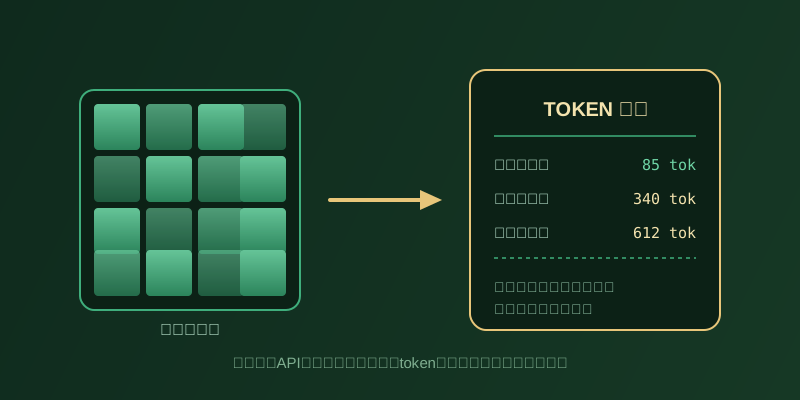
So what determines how many tokens a given image converts into? Based on publicly available technical documentation from major vendors, a fairly common pattern is: the image is first converted to tokens based on its resolution or pixel dimensions — the larger or higher-resolution the image, the more tokens it typically converts into, related to how vision models split an image into a number of patches that each get encoded, with patch count generally rising with resolution. Many vendors' vision models also expose a setting for processing precision — a simplified, coarser mode (sometimes called "low precision") that typically consumes fewer tokens, versus a more detailed mode needed for reading small text or fine detail in an image (OCR, document recognition), which typically consumes noticeably more tokens. It's worth stressing: the exact conversion formula, how patches are divided, and how precision modes are toggled all vary by vendor and even by model version within the same vendor — there is no single industry-wide conversion standard. This section only describes the general factors involved; the actual numbers must come from the official docs for the specific model you call.
3. Where to check: the official API docs' multimodal billing section, not third-party estimates
Since the conversion rules vary by vendor and model version, the most reliable approach is to check the official API documentation for the specific model you actually call — not a formula you saw circulating online, or a rule borrowed from a different model. DeepSeek's official pricing and API reference, for example, state that image input is converted to tokens based on dimensions and billed together with text tokens as input usage; Alibaba Cloud Model Studio's official billing page describes the overall input/output token billing rule that covers its Qwen-VL vision models, with more detail on how images specifically convert to tokens — and whether precision is configurable — covered in the companion vision-model usage guide, and this can change as model versions update. When checking, it's worth confirming three things: whether the model's docs disclose a concrete image-to-token calculation basis, whether it exposes any resolution- or precision-related parameters, and whether the usage data returned with each call (or your billing dashboard) breaks out the image portion's token count separately. If the official docs don't spell this out clearly enough, it's more reliable to ask the platform's support team directly than to guess a number yourself.
4. Where the underestimate hits hardest: image-heavy batch pipelines
This conversion rule gets overlooked most often — and does the most damage to a cost estimate — in image-heavy applications: batch-recognizing user-uploaded screenshots, parsing scanned PDFs or receipts at scale, auto-tagging large volumes of product images, and similar workloads. These scenarios tend to combine two things at once: a single call may involve higher image counts or resolutions, and the underlying business volume is already large (hundreds or thousands of images is just a starting point). If a developer estimates total cost purely from a mental model of "roughly how many tokens one call costs," without accounting for how image token usage swings with resolution and precision mode, they often don't discover the gap until volume scales up — at which point the actual bill can be far higher than what a text-scenario-style estimate predicted. This gap tends to widen further in scenarios that require high-precision mode to keep recognition accuracy acceptable (small print, dense tables), since that mode itself starts from a higher token baseline.
5. What to actually do: measure real bills on samples first, then scale the estimate
The more practical approach isn't to assume a conversion ratio and apply it — it's to run a small real measurement first: pick a handful of representative images from your actual use case (covering different resolutions and content complexity, including high-precision mode if you'll use it), call the production endpoint with them, and check the usage field in the API response or your billing dashboard for exactly how many tokens — and how much cost — the image portion of those calls consumed. Once you have that "measured cost per image" figure, multiply it by your expected image call volume to get a reasonably grounded total cost estimate, instead of guessing that an image costs "about as much as N words." If your images vary widely in resolution or content type (phone screenshots versus high-resolution scans, say), measure each category separately rather than using one typical sample to represent everything — a single sample can skew the estimate significantly.
6. Takeaway: an image isn't "just more text" — verify the conversion yourself
Calling a vision API from DeepSeek, Qwen, or similar domestic LLMs means image input is converted into tokens under a vendor-specific rule before it hits your bill — typically tied to resolution and dimensions, with some vendors distinguishing low- and high-precision processing modes at different token costs. But the exact formula, patch-division logic, and the naming and values of any precision modes vary by vendor and by model version, with no unified industry standard — you have to verify against the official docs for the model you actually call. For image-heavy applications like batch screenshot or scanned-document processing, measuring real billing on a handful of genuine sample images before launch, then scaling that measured cost to your expected volume, is far more reliable than assuming images and equivalent text cost the same in tokens — and it avoids discovering a bill far above expectations only after scale hits.